



!使用前一定要先閱讀說明書!
這些模型是用來用 Clip Studio Paint 內建的手繪模型,用六指畫角色
!READ INSTUCTIONS BEFORE USE!
These models are for drawing characters with 6 fingers using the build in hand models made by Clip Studio Paint
第一步是把手合在一起。

把「Basic - Left 2」拖到「Basic Left」。

接下來——如何擺姿勢。
強烈建議手動擺姿勢。
內建的手部擺姿勢工具雖然不是百分之百推薦,但還是很實用。
不建議貼上手部姿勢。
千萬不要 用手部掃描器,這樣會破壞姿勢。
選擇主手時,所有手指都可以解鎖。


唯一應該解鎖的手指是選擇第二隻手時的小 指 。


客製化
用手持攪拌機是可以的
調整手指長度不是百分之百建議,但還是很有用。
調整手掌大小不是百分之百推薦,但仍然有用。
不建議啟用手腕。
選擇主手時,所有手指都可以調整。
唯一應該調整 的是選擇副手時的小 指 。
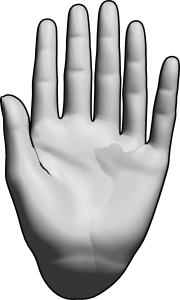
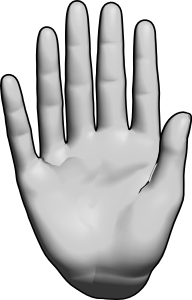
範例


*這些指令原本是用英文寫的,現在由機器翻譯,如果這些指令看起來奇怪,那就是原因。
The first step is to put the hands together.
Drag "Basic - Left 2" into "Basic Left".
Next up - How to pose it.
Manual posing is highly recommended.
Built-in Hand posing tools not 100% recommended but still useful.
Pasting hand poses are not recommended.
DO NOT use the hand scanner it will break the pose.
All fingers can be unlocked when the main hand is selected.
The only finger that should be unlocked is the PINKY FINGER when the secondary hand is selected.
Customization
Using the hand mixer is okay
Adjusting finger length is not 100% recommended but still useful.
Adjusting palm size is not 100% recommended but still useful.
Enabling wrist is not recommended.
All fingers can be adjusted when the main hand is selected.
The only finger that should be adjusted is the PINKY FINGER when the secondary hand is selected.
Examples
*These instructions were originally written in English and they are being translated by a machine so if the instructions seem odd that is why.
多指症 polydactyly


徽章
-
 MVP ◆針對問題投稿了眾多適切的回答,對社群有顯著貢獻的用戶。每3個月一次,會依據期間內獲得的點數選出MVP用戶,並進行表揚。
 -
 NVP(New Valuable Player) ◆繼MVP後,對社群營運做出良好貢獻的用戶。將從不曾獲選為MVP的用戶中,依據獲得的點數進行評選、表揚。
 -
 官方推廣大使 ◆從被證明為優良回答用戶的MVP獲獎者中選出社群中最優異的回答者。並經審查後由本社委託就任。※舊名稱為「Evangelist」
 -
 CELSYS公認Moderator ◆Moderator為會使用日文及其他語言的CELSYS公認工作人員。由於並非軟體或創作的專業人士,Moderator無法直接為用戶解決疑問,但能在語言、交流方面提供支援,幫助用戶們順利地進行溝通。
 -
 CELSYS官方為與營運相關的官方帳號。