



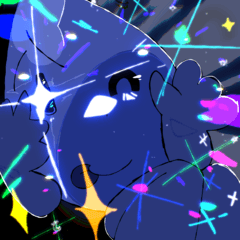
一個自動動作,用來完成細胞陰影,讓畫面看起來更平滑。 An autoaction to finish up cell shading and make it look smoother.
1. 選擇帶有著色的圖層

2. 選擇你想成為「中間」顏色的顏色。
第一個彈出視窗:中間線條的粗細
第二個彈出視窗:陰影中內線模糊
第三和第四(建議相同尺寸):整個色調的模糊
3. 如有需要,用光滑的解開器調整角落

1. Select the layer with shading
2. Choose the color you want to be the "in-between" color.
The first pop-up window: thickness of the middle line
Second pop up window: blur of the inner line within the shadow
Third and fourth (same size recommended): blur of the whole shade
3. Adjust the corners with smooth ereaser if needed


「Ihavesomethingnew」的其他素材


「自動動作」的人氣素材





最新素材




徽章
-
 MVP ◆針對問題投稿了眾多適切的回答,對社群有顯著貢獻的用戶。每3個月一次,會依據期間內獲得的點數選出MVP用戶,並進行表揚。
 -
 NVP(New Valuable Player) ◆繼MVP後,對社群營運做出良好貢獻的用戶。將從不曾獲選為MVP的用戶中,依據獲得的點數進行評選、表揚。
 -
 官方推廣大使 ◆從被證明為優良回答用戶的MVP獲獎者中選出社群中最優異的回答者。並經審查後由本社委託就任。※舊名稱為「Evangelist」
 -
 CELSYS公認Moderator ◆Moderator為會使用日文及其他語言的CELSYS公認工作人員。由於並非軟體或創作的專業人士,Moderator無法直接為用戶解決疑問,但能在語言、交流方面提供支援,幫助用戶們順利地進行溝通。
 -
 CELSYS官方為與營運相關的官方帳號。