



我多年來製作的各種自定義圖標。 An assortment of custom icons I've made over the years.
您知道您可以為您的工具製作自己的自定義圖標嗎? 只需在方形畫布上繪圖,將其導出為.png圖像,然後“右鍵單擊”子工具即可更改圖標。

您可以通過這種方式為您的工具設置單獨的圖標。 右鍵單擊 ENITRE 工具,您可以在一個和多個之間切換。
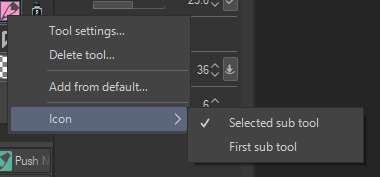

(例如,這是右鍵單擊“鉛筆”工具)
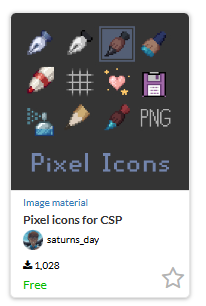
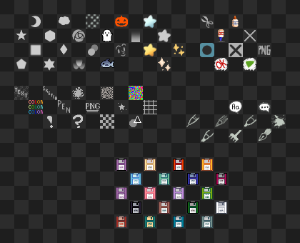
這些是我多年來製作的一堆圖標。 有些用於工具,有些用於保存(心愛的軟盤),有些用於記錄和清除圖層等操作。 如果您想要一個更有凝聚力的集合,您可以使用這個。
搜索 ID:該集合的2177522。 請隨意根據自己的喜好修改這些 - 它們只是圖標,請隨意重新著色或重新繪製它們。:)
現在這裡是圖標,以及有關如何使用它們的教程。
20px - 此圖標尺寸非常適合像素藝術。

40px(更容易繪製和縮小)
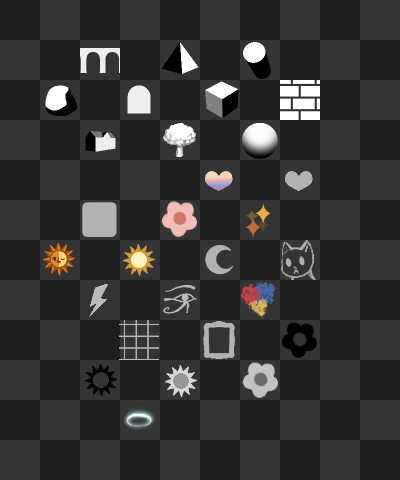
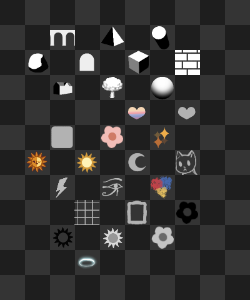
當您將文件拖到畫布上時,它將顯示為 2 層。 底層是一個方格網格:這是您可以選擇的指南,它將為您提供完美的正方形測量值。

我選擇了黃色星星。 現在,我裁剪它:
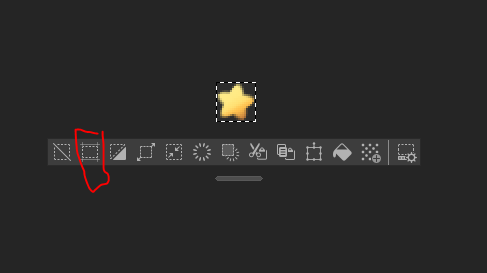
我使用工具列上的「裁剪」快捷方式。
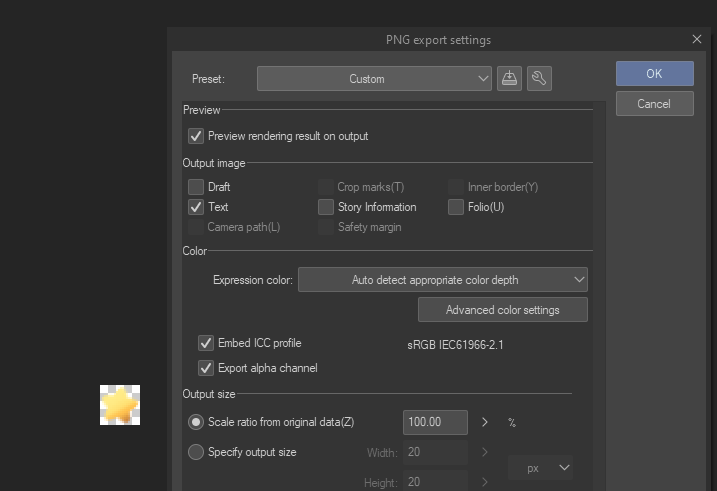
然後,確保您的圖像是透明的,並將其導出為 PNG。
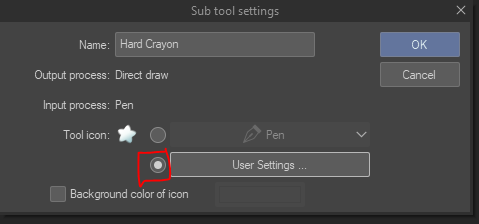
然後右鍵單擊您的子工具並將其替換為您的新圖標,但當然是用您的語言。
Did you know you could make your own custom icons for your tools? Just draw on a square canvas, export it as a .png image, & "right click" the subtool to change the icon.
You can have individual icons for your tools this way. Right click on the ENITRE tool and you can switch between one & multiple.
(For example, this is right clicking the "pencil" tool)
These are a bunch of icons I've made over the years. Some are for tools, some are for saving (the beloved floppy disc), and some are for actions like recording & clearing a layer. If you want a more cohesive set, you can use this one instead.
Search id: 2177522 for that set. Feel free to modify these to your liking - they're just icons, feel free to recolor or redraw them. :)
Now here are the icons, plus a tutorial on how to use them.
20px - this icon size is great for pixel art.
40px (easier to draw & shrink)
When you drag the file onto a canvas, it will appear as 2 layers. The bottom layer is a checkered grid: this is a guide you can select & it will give you the perfect square measurements.
I selected the yellow star. Now, I crop it:
I use the "crop" shortcut on the toolbar.
Then, make sure your image is transparent, & export it as a PNG.
And then right click your subtool & replace it with your new icon, but in your language, of course.
方形圖示 square icons








「saturns_day」的其他素材


「素材集」的人氣素材


最新素材







徽章
-
 MVP ◆針對問題投稿了眾多適切的回答,對社群有顯著貢獻的用戶。每3個月一次,會依據期間內獲得的點數選出MVP用戶,並進行表揚。
 -
 NVP(New Valuable Player) ◆繼MVP後,對社群營運做出良好貢獻的用戶。將從不曾獲選為MVP的用戶中,依據獲得的點數進行評選、表揚。
 -
 官方推廣大使 ◆從被證明為優良回答用戶的MVP獲獎者中選出社群中最優異的回答者。並經審查後由本社委託就任。※舊名稱為「Evangelist」
 -
 CELSYS公認Moderator ◆Moderator為會使用日文及其他語言的CELSYS公認工作人員。由於並非軟體或創作的專業人士,Moderator無法直接為用戶解決疑問,但能在語言、交流方面提供支援,幫助用戶們順利地進行溝通。
 -
 CELSYS官方為與營運相關的官方帳號。