


XDD 畫筆 + 圓角自動操作 (XDD Brushes + Round corners auto action) XDD Brushes + Round corners auto action
素材ID:2078453
-
3,978


閃光複印畫筆 + 圓角自動操作線條藝術 Flash replica brushes + Round corners auto action for your lineart

-
繪圖示例大小:1200px 和300ppp
塊狀

_____________________________________________________________

_____________________________________________________________

_____________________________________________________________

圓角 (或“墨水堆積”) - 自動操作

自動操作將在線條藝術(或文本)圖層之上創建一個新圖層(效果圖層)。


----------------
享受!
-
Drawing example size: 1200px and 300ppp
BLOCKY
_____________________________________________________________
_____________________________________________________________
_____________________________________________________________
Round corners (or "ink accumulation") - auto action
The auto action will create a new layer (the effect layer) on top of your lineart (or text!) layer.
----------------
Enjoy!
XDD 畫筆 XDD Brushes

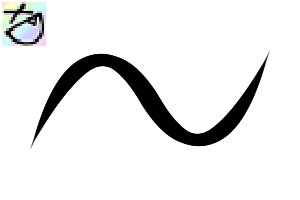
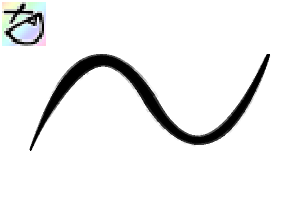

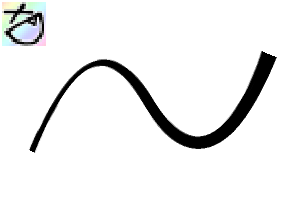

更新歷史記錄
- “Square”畫筆重命名為“Blocky”
- 新畫筆「隨機(▲)」。與之前的畫筆“Random(■)”相比,筆觸的開始/結束變得更細,而且我認為這款畫筆感覺更好。:)
- "Square" brush is renamed to "Blocky"
- New brush "Random(▲)". Start/end of the stroke become thinner compared to the previous brush "Random(■)" which have straight start/end, also I think this brush feels better. :)












「Blazkat」的其他素材


「素材集」的人氣素材


最新素材






-
 MVP ◆針對問題投稿了眾多適切的回答,對社群有顯著貢獻的用戶。每3個月一次,會依據期間內獲得的點數選出MVP用戶,並進行表揚。
 -
 NVP(New Valuable Player) ◆繼MVP後,對社群營運做出良好貢獻的用戶。將從不曾獲選為MVP的用戶中,依據獲得的點數進行評選、表揚。
 -
 官方推廣大使 ◆從被證明為優良回答用戶的MVP獲獎者中選出社群中最優異的回答者。並經審查後由本社委託就任。※舊名稱為「Evangelist」
 -
 CELSYS公認Moderator ◆Moderator為會使用日文及其他語言的CELSYS公認工作人員。由於並非軟體或創作的專業人士,Moderator無法直接為用戶解決疑問,但能在語言、交流方面提供支援,幫助用戶們順利地進行溝通。
 -
 CELSYS官方為與營運相關的官方帳號。