



此專案是我頭指南資源的免費演示。如果你喜歡它, 我也有一個完整版本 (購買與剪輯), 這將包括更多的頭角指南。使用這些指南在任何尺度上繪製頭,而不會發生扭曲。 This item is a FREE demo of my Head Guides resource. If you like it, I also have a FULL version (buy with Clippy) which will include more head angle guides. Use these guides to draw heads at any scale without distortion.
此資源始終免費供您嘗試。玩得開心。•́‿•̀。*)
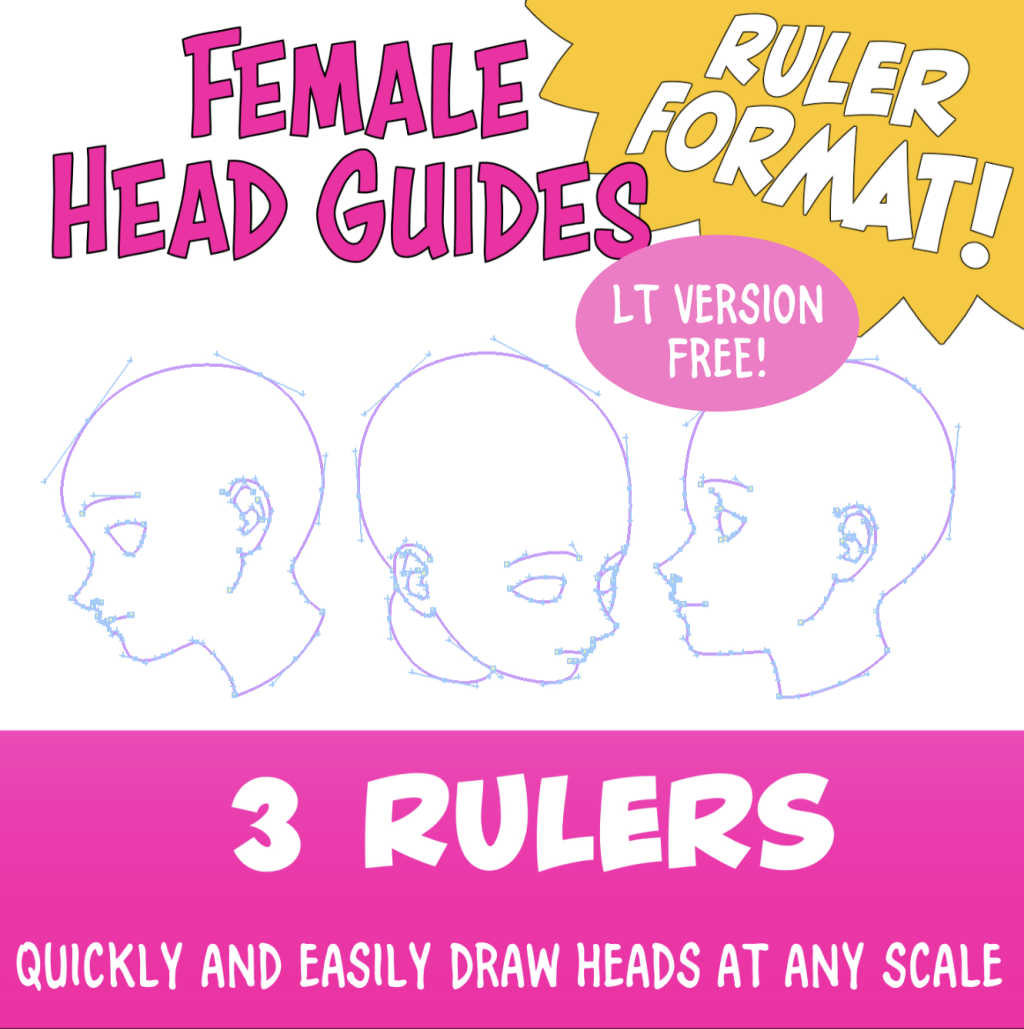
如果你喜歡這個專案, 我也有一個完整的 (支付與剪貼) 版本與更多的頭部角度。隨意看看吧。
感謝您的下載和嘗試資源。
這是一套可以用來畫女孩臉的統治者。它也可以用來畫一個十幾歲的男孩或其他個人與軟功能。這是確保人臉不會因錯誤而畫出,並且你的性格看起來相同的好方法。
您可以修改原始指南,使其看起來更像您的字元,然後保存它們以在任何比例上反復使用。
關於此資源
為什麼使用尺子材料很聰明?
因為:
❤️ 在任何尺寸下創建物件都很容易。
🧡使用任何畫筆繪製物件。
💛創建一個流氓或向量物件。
💚編輯(定制)尺規,根據需要使用貝琪爾手柄。
💙存儲尺規物件到圖書館的東西,必須經常繪製,如符號或服裝配件。
💜消除重複繪圖並節省時間。
如何使用尺規範本:
- 將尺子範本粘貼到文檔上。 注意:尺子可以粘貼在刺耳或向量層上。
- 使用物件選擇工具選擇和定位尺規。 注意:除了縮放尺規外,向量編輯工具還可用於根據需要定位各個手柄。
- 選擇尺子後,從"層"功能表中選擇"沿尺繪製"。注意:為了保留物件的編輯功能,建議在此步驟中使用向量層。
This resource is always FREE for you to try. Have fun ٩(。•́‿•̀。)۶
If you like this item, I also have a FULL (Pay with clippy) version with more head angles. Feel free to take a look at it.
Thank you for downloading and trying the resource.
This is a set of rulers which can be used to draw a girl's face. It can also be used to draw a teenage boy or other individual with soft features. It's a good way to ensure that faces are not drawn with mistakes, and that your character looks the same.
You can modify the original guides to look more like your character, then save them to use over and over again at any scale.
About This Resource
Why is it smart to use a ruler material?
Because:
❤️ It's easy to create the object at any size.
🧡 Use any brush to draw the object.
💛 Create either a raster or a vector object.
💚 Edit (customize) the ruler as needed with bezier handles.
💙 Store ruler objects to the library for things that must be drawn often, such as symbols or clothing accessories.
💜 Eliminate repetitive drawing and save time.
How to use the ruler template:
- Paste the ruler template to the document. Note: The ruler may be pasted to either a raster or vector layer.
- Use the Object Selection tool to select and position the ruler. Note: In addition to scaling the ruler, the vector edit tools may be used to position individual handles as needed.
- With the ruler selected, choose "Draw along ruler" from the Layers menu. Note: To preserve editing capabilities of your object, it is recommended to use vector layers at this step.
免費頭導導尺 FREE Head Guide Rulers


「DoctorTeatime」的其他素材


「素材集」的人氣素材


最新素材


徽章
-
 MVP ◆針對問題投稿了眾多適切的回答,對社群有顯著貢獻的用戶。每3個月一次,會依據期間內獲得的點數選出MVP用戶,並進行表揚。
 -
 NVP(New Valuable Player) ◆繼MVP後,對社群營運做出良好貢獻的用戶。將從不曾獲選為MVP的用戶中,依據獲得的點數進行評選、表揚。
 -
 官方推廣大使 ◆從被證明為優良回答用戶的MVP獲獎者中選出社群中最優異的回答者。並經審查後由本社委託就任。※舊名稱為「Evangelist」
 -
 CELSYS公認Moderator ◆Moderator為會使用日文及其他語言的CELSYS公認工作人員。由於並非軟體或創作的專業人士,Moderator無法直接為用戶解決疑問,但能在語言、交流方面提供支援,幫助用戶們順利地進行溝通。
 -
 CELSYS官方為與營運相關的官方帳號。