



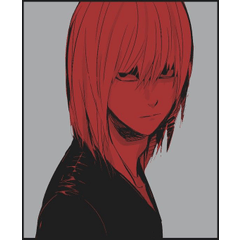
快速需要一個吻標記。
附帶兩個不同的版本。
For a quick need of a kiss mark.
Comes with two different versions.
您可以使用手指工具獲得汙跡效果!


如果顏色看起來比所需顏色暗,請按照以下步驟操作。
- 選擇要編輯的圖層或區域(使用套索工具、選擇筆等)。
- 選擇所需顏色。
- [編輯] > [將線條顏色更改為繪圖]

*在某些系統上,可能會改為"轉換為繪圖顏色"。
享受!
You can get a smudged effect by using the finger tool!
***In case color looks darker than desired, please follow steps below.***
- Select Layer or area (with lasso tool, selection pen, etc.) you wish to edit.
- Choose desired color.
- [Edit] > [Change color of line to drawing]
*On some systems, might say “Convert to drawing color” instead.
Enjoy!
類別 1 Category 1







「Maritsuki4649」的其他素材


「素材集」的人氣素材


最新素材








徽章
-
 MVP ◆針對問題投稿了眾多適切的回答,對社群有顯著貢獻的用戶。每3個月一次,會依據期間內獲得的點數選出MVP用戶,並進行表揚。
 -
 NVP(New Valuable Player) ◆繼MVP後,對社群營運做出良好貢獻的用戶。將從不曾獲選為MVP的用戶中,依據獲得的點數進行評選、表揚。
 -
 官方推廣大使 ◆從被證明為優良回答用戶的MVP獲獎者中選出社群中最優異的回答者。並經審查後由本社委託就任。※舊名稱為「Evangelist」
 -
 CELSYS公認Moderator ◆Moderator為會使用日文及其他語言的CELSYS公認工作人員。由於並非軟體或創作的專業人士,Moderator無法直接為用戶解決疑問,但能在語言、交流方面提供支援,幫助用戶們順利地進行溝通。
 -
 CELSYS官方為與營運相關的官方帳號。