




もし3Dモデルが黒く見えたり、レンダリングバグのように奇妙な黒い陰影が出ている場合は、以下の手順を試してください。
影響を受けた3Dモデルをクリックすると、通常のコントロールメニューが表示されます。
参照画像に示されているようにレン チアイコン🔧()をクリックしてください。
設定パネルで「 レンダリング設定」を見つけてクリックします。
新しい設定ウィンドウが表示されます。
アウトラインオプションを見つけて、アウトラインを無効にするためにチェックを外してみてください。
これで黒の陰影の問題が解決するかもしれません。
これらのモデルの使用中にご不便や問題があったら申し訳ありません。ご理解ありがとうございます!♡

If any of the 3D models appear black or have strange black shading, as if there is a rendering bug, please try the following steps:
Click on the affected 3D model to bring up the usual control menu.
Click the wrench icon (🔧), as shown in the reference image.
In the settings panel, find and click Rendering Settings.
A new settings window will appear.
Find the Outline option and try unchecking it to disable the outlines.
This may help resolve the black shading issue.
I apologize for any inconvenience or issues you may encounter while using these models. Thank you for your understanding! ♡
材料 วัสดุ
-
デフォルト素材 Default material

セグメンテーション จัดส่วน
-
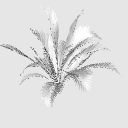
ファンパーム Fan Palm
-
メキシカン・ファンパーム Mexican Fan Palm
-
傾くココナッツパーム Leaning Coconut Palm
-
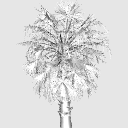
ココナッツパーム Coconut Palm
-
トール・フェザー・パーム Tall Feather Palm
-
アレカヤシ群 Areca Palm Cluster
-
カーブドココヤシ Curved Coconut Palm
-
ラピス・エクセルサ Rhapis excelsa
-
ブッシューアレカパーム Bushy Areca Palm
-
中国扇掌 Chinese Fan Palm
-
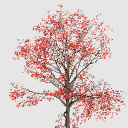
日本のアカエデ Japanese Red Maple
-
日本レッドメープル2 Japanese Red Maple 2
-
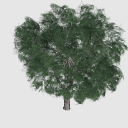
フィカスの木 Ficus Tree
-
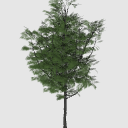
アカシアの木 Acacia Tree
-
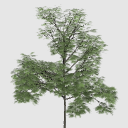
細長い緑の木 Slender Green Tree
-
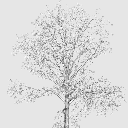
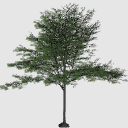
ワイドキャノピーツリー Wide Canopy Tree
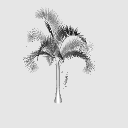
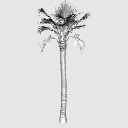
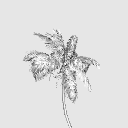
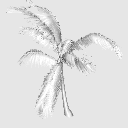


"KimKK"さんの別の素材


"3Dオブジェクト"の人気素材


新着素材


-
 MVP ◆質問に対して適切な回答を数多く投稿し、コミュニティの運営に大きく貢献したユーザーです。MVPは3ヶ月に一度、その間に獲得したポイントを元に決定し、表彰を行っています。
 -
 NVP (New Valuable Player) ◆MVPに次いでコミュニティの運営に貢献したユーザーです。これまでMVPの受賞経験のない方から、獲得したポイントを元に決定し、表彰を行なっています。
 -
 公式エキスパート ◆優れた回答者の証であるMVP受賞者の中からさらに選ばれた、コミュニティで最も優良な回答者の証です。審査を経て当社から依頼し就任いただいています。※旧名称「エバンジェリスト」
 -
 セルシス公認モデレーター ◆モデレーターは、日本語とその他の言語が話せるセルシス公認のスタッフです。ソフトウェアや創作のエキスパートではないので、直接疑問を解決することはできませんが、みなさんがスムーズにコミュニケーションできるように、言葉やコミュニケーションの側面からサポートします。
 -
 セルシス公式運営に関連した公式アカウントです。