


【48Hfree】女性のバッドアップポーズ パック (【48Hfree】Female Bust Up Poses Pack) 【48Hfree】Female Bust Up Poses Pack
コンテンツID:2306448
-
373


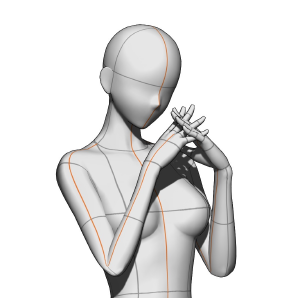
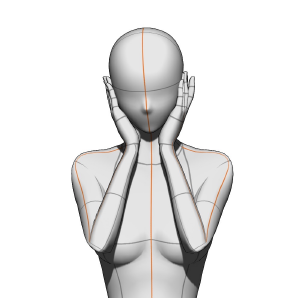
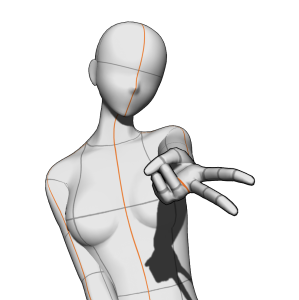
全部で3つのポーズ! 3 poses total!

これは3D画像マテリアルです。インポート後、マテリアルは上の画像と同じカメラアングルで読み込まれます。しかし、カメラの視点を完全に変更したり、ポーズを調整したり、3Dモデルを好みのものに置き換えたりすることは可能です!
指示

インポート 方法
ステップ1:マテリアルパレットのウィンドウを開き、希望するマテリアルを探してください。
ステップ2:教材を選択します。
ステップ3:このボタンをタップしてキャンバスに貼り付けます!マテリアルをキャンバスにドラッグ&ドロップすることもできますが、置く場所によってモデルの配置が異なります。
あがき: 異なるカメラアングルと衝突しないように、各ポーズを別々のレイヤーにインポートするのがベストです。もしそれらをすべて1つのレイヤーにインポートすると、サムネイルに表示されているポーズとは異なる角度になります。
推奨キャンバスサイズ
4000x4000ピクセル以上(キャンバスが正方形の場合が最適)!それでも、キャンバスが水平でも垂直でも問題はありません。
小さなキャンバスのチュートリアル


GALポーズについて


インポート 方法
ステップ1:詳細ツール設定を開き、「カメラ」オプションをクリックしてください。
ステップ2:現在のカメラのロックアイコンをオフにします。
ステップ3:このボタンをクリックして平行投影に切り替えれば完了です!
*平行投影では、手は遠近法では見えず(小さく見えます)、しかし角度が変わらずモデルを動かすことができます。
This is a 3D image material: after importing it, the material will load with the same camera angle as the image above. However, you can still completely change the camera view, tweak the pose, and replace the 3D model with your preferred one!
Instructions
How to import
Step 1: Please open the material palette window and locate the desired material.
Step 2: Select the material.
Step 3: Tap this button to paste it on the canvas! You can also drag and drop the material onto the canvas, but the model will be positioned differently based on where you drop it.
A/N: To avoid clashing with the different camera angles, it’s best to import each pose onto a separate layer. If you import them all on a single layer, the poses will have different angles from those shown in the thumbnail.
Recommended canvas size
4000x4000 px or larger (best if the canvas is square)! Nevertheless, there are no problems if the canvas is horizontal or vertical.
Tutorial for a smaller canvas
About the GAL pose
How to import
Step 1: Please open the advanced tool settings and click on the “Camera” option.
Step 2: Toggle off the lock icon on the current camera.
Step 3: Click on this button to switch to parallel projection* and you’re done!
*with parallel projection, the hand will not appear in perspective (it will appear smaller), but you’ll be able to move the model without the angle changing.
壊れポーズ Bust Up Poses







"mengli"さんの別の素材


"素材集"の人気素材


新着素材


バッジ
-
 MVP ◆質問に対して適切な回答を数多く投稿し、コミュニティの運営に大きく貢献したユーザーです。MVPは3ヶ月に一度、その間に獲得したポイントを元に決定し、表彰を行っています。
 -
 NVP (New Valuable Player) ◆MVPに次いでコミュニティの運営に貢献したユーザーです。これまでMVPの受賞経験のない方から、獲得したポイントを元に決定し、表彰を行なっています。
 -
 公式エキスパート ◆優れた回答者の証であるMVP受賞者の中からさらに選ばれた、コミュニティで最も優良な回答者の証です。審査を経て当社から依頼し就任いただいています。※旧名称「エバンジェリスト」
 -
 セルシス公認モデレーター ◆モデレーターは、日本語とその他の言語が話せるセルシス公認のスタッフです。ソフトウェアや創作のエキスパートではないので、直接疑問を解決することはできませんが、みなさんがスムーズにコミュニケーションできるように、言葉やコミュニケーションの側面からサポートします。
 -
 セルシス公式運営に関連した公式アカウントです。