



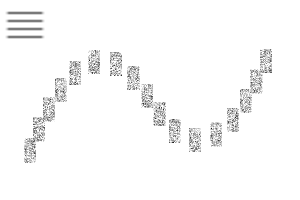
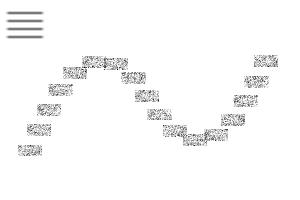
最初のブラシを基にした、ブレンドしない乾いた絵の筆のコレクションです。ベースブラシと密度、ペン不透明度圧力、色相変化、彩度変化、ブロックパターンのバージョンが含まれます。この中には使われている2本のブラシチップも含まれています。
一部のブラシは「密度比較」機能があるため、既存のレイヤー上の色に表示するにはより強く押す必要があるかもしれません。これは、ウィンドウ>サブツールの詳細>インク>ブラシを選択し、「ブレンディングモード」を「密度比較」から「ノーマル」に設定>解除できます。
ルミノシティの変動をオフにするには、サブツールの詳細>ウィンドウ>ブラシを選択し、カラージッター>>「ブラシ先端の色を変える」を選択し外してください。


A collection of nonblending dry paint brushes, based after the initial one. Includes the base brush and versions with lower density, pen opacity pressure, hue changing, saturation changing, and block patterns. This also contains the two brush tips used.
Some brushes are set to "compare density," which is why you may need to press harder for it to show up over preexisting colors on your layer. This can be removed by selecting the brush > Window > Sub Tool Detail > Ink > Setting "Blending Mode" from "Compare density" to "Normal."
To turn off the luminosity variation, select the brush > Window > Sub Tool Detail > Color Jitter > Unselect "Change brush tip color."
ブラシ Brushes
-
base_rectangularDry base_rectangularDry
-
lowDensity_rectangularDry lowDensity_rectangularDry
-
penPressure_rectangularDry penPressure_rectangularDry
-
hue_rectangularDry hue_rectangularDry
-
saturation_rectangularDry saturation_rectangularDry
-
repeated_rectangularDry repeated_rectangularDry
-
denseRepeated_rectangularDry denseRepeated_rectangularDry
-
horizontalRepeated_rectangularDry horizontalRepeated_rectangularDry
-
verticalRepeated_rectangularDry verticalRepeated_rectangularDry
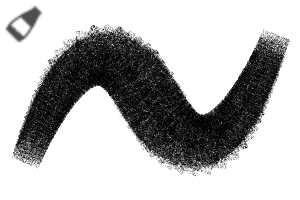
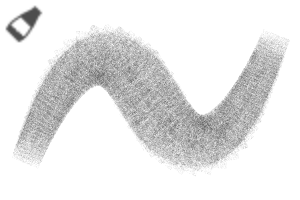
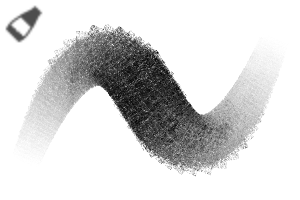


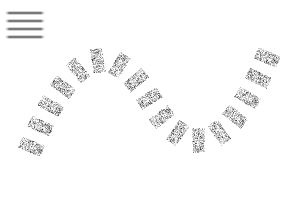

ブラシチップ Brush Tips


"Sketchmre"さんの別の素材

"素材集"の人気素材


新着素材




バッジ
-
 MVP ◆質問に対して適切な回答を数多く投稿し、コミュニティの運営に大きく貢献したユーザーです。MVPは3ヶ月に一度、その間に獲得したポイントを元に決定し、表彰を行っています。
 -
 NVP (New Valuable Player) ◆MVPに次いでコミュニティの運営に貢献したユーザーです。これまでMVPの受賞経験のない方から、獲得したポイントを元に決定し、表彰を行なっています。
 -
 公式エキスパート ◆優れた回答者の証であるMVP受賞者の中からさらに選ばれた、コミュニティで最も優良な回答者の証です。審査を経て当社から依頼し就任いただいています。※旧名称「エバンジェリスト」
 -
 セルシス公認モデレーター ◆モデレーターは、日本語とその他の言語が話せるセルシス公認のスタッフです。ソフトウェアや創作のエキスパートではないので、直接疑問を解決することはできませんが、みなさんがスムーズにコミュニケーションできるように、言葉やコミュニケーションの側面からサポートします。
 -
 セルシス公式運営に関連した公式アカウントです。