



手首に使いやすい鉛筆 Easy-for-wrist pencil
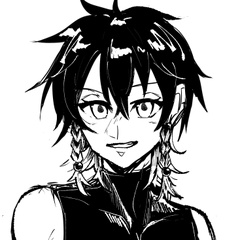
他のブラシと同じく、これは何年も使っているお気に入りの一つです!
最小限の圧力で済み、もっと大きなブラシサイズを選べばいいのです
(例えば、1400ピクセルのキャンバスでは、ここで見ているような非常に細い線の場合は34〜50ピクセルの間を選びます)


これが圧力の設定です

このブラシはどのブラシにも適用でき、手首に使いやすい感触にできます(ただしサイズを大きくすればいいだけです)。3つの新しいノード(四角)を中心に配置し、1つは隅に、残りの2つはここにある場所に配置します。もし圧力が強すぎるなら、1つを隅に引き寄せて消えてもいいですよ)
密度の設定

「ふわふわ」した感じ(髪に良い)には、ブラシ設定、修正、ペンのストローク/ライン(英語で何と呼ぶかはわかりません)で、バーに3〜4マスセットしてください。そうすれば、線を止めると少し長く浮かびますが、1マスだけ入れると線が急に止まります。

ベクターレイヤーに線を引いて、バケツの充填をきれい にしています。近いうちにベクターレイヤー用に使っている バケツと消しゴムも共有するかもしれません!
気に入ってもらえたら嬉しいです!:3
気に入ってもらえたら嬉しいです!:3
あなたのグラスパーレンフックス!
Like my other brush, this here is one of my faves I use for years!
You need minimum of pressure, you can just pick a bigger brush size
(for example; canvas with 1400 pixel I pick between 34-50 for very thin lines like you can see here)
These are the settings for the pressure
You can apply this to any brush to have easy-for-wrist feel (just then make the size very big). Set around 3 new nodes (squares) one in corner, the other two where they are here. If it's too much pressure for you, you can drag one into the corner and it disappears)
Settings for density
For a "floaty" feeling (good for hair) go to brush settings, correction and pen stroke/line (not sure how it's called in english) and set 3 to 4 squares in the bar. That way if you stop the line it will float a bit longer, if you just put 1 square, the line will abruptly stop.
I draw lines on a vector layer so I can clean bucket fill. I might also share my bucket and eraser I use for vector layer soon!
Hope you like! :3
Hope you like! :3
Your Glasperlenfuchs!


"Glasperlenfuchs"さんの別の素材


"ブラシ"の人気素材



新着素材



バッジ
-
 MVP ◆質問に対して適切な回答を数多く投稿し、コミュニティの運営に大きく貢献したユーザーです。MVPは3ヶ月に一度、その間に獲得したポイントを元に決定し、表彰を行っています。
 -
 NVP (New Valuable Player) ◆MVPに次いでコミュニティの運営に貢献したユーザーです。これまでMVPの受賞経験のない方から、獲得したポイントを元に決定し、表彰を行なっています。
 -
 公式エキスパート ◆優れた回答者の証であるMVP受賞者の中からさらに選ばれた、コミュニティで最も優良な回答者の証です。審査を経て当社から依頼し就任いただいています。※旧名称「エバンジェリスト」
 -
 セルシス公認モデレーター ◆モデレーターは、日本語とその他の言語が話せるセルシス公認のスタッフです。ソフトウェアや創作のエキスパートではないので、直接疑問を解決することはできませんが、みなさんがスムーズにコミュニケーションできるように、言葉やコミュニケーションの側面からサポートします。
 -
 セルシス公式運営に関連した公式アカウントです。