



25種類の素材が、ステッカーにふわふわしたりキラキラしたりホログラフィックな見た目に加わったりできます! Twenty five materials that can add to your stickers for a fuzzy, glittery, or holographic look!
これらの資料には複数の使い方があるため、少し長くなります。 もしよければ、そのままスクロールして教材を見ていてください。
グリッターの質感が欲しいですか? 紙吹雪のような質感が欲しいですか? ぼんやりした質感や布質感が欲しいですか? ぜひ試してみてください! ステッカーやアートに華やかさを加えるためのブラシが4本、画像が21枚あります。:D

まずはブラシについて:

これらのブラシはすべて通常のブレンディングモードに設定されています。 私はグリッターを別のレイヤーに追加して、そちらにブレンディングモードを適用するのが好きです。 色、スプレー、ブレンドモードなどで自由に調整できます。また、かわいい形の基本ブラシとしても使えます。
オーガニックなテクスチャーについて:

トップ:オリジナル&オーガニックドット。
ミドル:フェルト&ライトファズ。
下:ドッツ&クラシックノイズ、ぼかし。
レイヤープロパティの「オーバーレイ」モードを使いましたが、自分の作品に合う方法があれば試してみてほしいです。 https://help.clip-studio.com/en-us/manual_en/180_layers/Layer_properties.htm#1364172
フェルトや布のような感触を出すには、テクスチャを塗る前にイメージをぼかすのが好きです。 そうすると、より柔らかく、ふわふわした印象になります。

(左:ブレなし、右:ブレ)
テクスチャやパターンについてです。 以下に使ったレイヤー設定を追加します。 私の設定をコピーする必要はありません。パターンごとに色によって見た目が異なります。 例えば、暗いオーバーレイは暗い色と明るい色にうまく合いますが、明るい色はどちらでも扱いにくいことがあります。 お好みに合わせて調整してください。
私はこれらのクリップ機能を使うのが好きですが、マスキング機能も使えます。
クリッピング: https://help.clip-studio.com/en-us/manual_en/180_layers/Other_layer_settings.htm#1364239
マスキング: https://help.clip-studio.com/en-us/manual_en/180_layers/Layer_masks.htm
(いつものように英語マニュアルのみを投稿してしまい申し訳ありません。他の言語への変換は簡単でしょう)

1. 基本的な三角形グリッド - レイヤープロパティ「オーバーレイ」。 元の色を暗くした。
2. 基本トライアングルグリッド - ブレンディングモードの「オーバーレイ」、勾配適用。
3. 三角形グリッド - さらに多くの三角形。 モード:グローを追加。
4. ワイルドグラスウェーブ。 モード:サチュレーション。
5. トライアングルグリッド - エレガントカラー。 モード:オーバーレイ、不透明度44%。
6. トライアングルグリッド - ホログラフィックオーバーレイ。 モード:オーバーレイ、不透明度70%。

7. ワイルドグラスウェーブ。 モード:オーバーレイ、100%。
8. サークルグリッター - ホログラフィックテクスチャ。 モード:オーバーレイ、100%。 元の画像のコントラストを調整。
9. サークルグリッターダーカー。 モード:ディバイブ、85%。
10. サークルグリッターダーカー。 モード:グロードッジ、38%。
11. グリッター開始 - ホログラフィック。 モード:オーバーレイ、72%。
12. 星の輝きが暗くなる。 モード:リニアライト、100%。

13. グラデーション付きの星のグリッターパターン。
14. 六角形パターン(勾配付き)、パターンにのみ適用。
ブレンディングモードや調整レイヤーで試せる実験は無限にあります。 色を変えたい場合はグラデーションレイヤーを使うか、画像マテリアルを右クリックして「ラスタライズ」を手動で調整できます。 グラデーションレイヤーに馴染みがありませんか? こちらをご覧ください: https://help.clip-studio.com/en-us/manual_en/390_filters/Tonal_Correction_Effects.htm#1364051
ピカピカのステッカー用のグラデーションが必要ですか? 以下にいくつか作りました。 下のコンテンツID番号をコピー&ペーストして検索バーに貼り付けるだけで見つけられます。:D

一つ目: 2106625 |ツー:1963105 | スリー: 2167418 | フォー: 2209830
もっとキラキラや輝きが必要なら、以前作ったブラシもいくつか紹介します:

1:1980728 | 2: 2026033 | 3: 2125947 | 4: 2126273
....これまでにあまりにも多くのアセットを投稿してきたと思います。少なくとも君たちは楽しんでいる。;w;♥
とにかく、楽しんで楽しんでください!
This is going to be a little long since there's multiple ways to use these materials. Feel free to scroll down and look at the material as-is if you want.
Want a glitter texture? Want a confetti texture? Want a fuzzy or cloth texture? Try these out! There are 4 brushes & 21 images for you to use to give pizazz to your stickers or your art. :D
First, the brushes:
All of these brushes are set to normal blending mode. I like to add the glitter on a separate layer & apply a blending mode to that instead. Feel free to modify them on color, spray, blending mode, etc.. You can also use these as basic cute shape brushes.
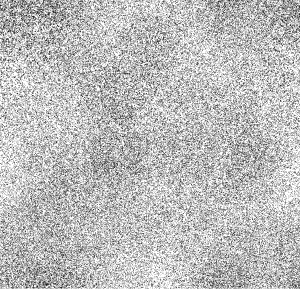
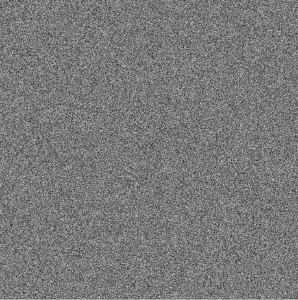
The organic textures:
Top: Original & Organic dots.
Middle: Felt & Light Fuzz.
Bottom: Dots & Classic Noise, blurred.
I used the Layer Property "Overlay" mode, but feel free to experiment and see if something works better for your art. https://help.clip-studio.com/en-us/manual_en/180_layers/Layer_properties.htm#1364172
For a Felt or Cloth-like feeling, I like to blur the image before I put the texture on it. That way, it looks softer and fuzzier.
(Left: No blur, Right: Blur)
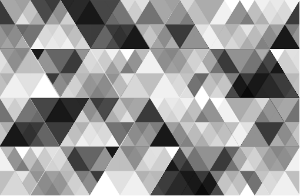
The textures/patterns. I'll add what layer settings I used below. You don't have to copy my settings as each pattern will look different on different colors. For example, the darker overlays work great with darker colors and lighter colors, while the lighter colors can be finicky on both. Adjust them to your liking.
I like using the clipping function for these, but you can also use the masking function.
Clipping: https://help.clip-studio.com/en-us/manual_en/180_layers/Other_layer_settings.htm#1364239
Masking: https://help.clip-studio.com/en-us/manual_en/180_layers/Layer_masks.htm
(Apologies as usual for only posting the English manual, it should be easy to convert to other languages)
1. Basic Triangle Grid - Layer Property "Overlay". Darkened original colors.
2. Basic Triangle Grid - BLENDING Mode "overlay", gradient applied.
3. triangle grid - more triangles. Mode: Add glow.
4. Wild Glass Wave. Mode: Saturation.
5. Triangle Grid - Elegant Color. Mode: Overlay, 44% opacity.
6. Triangle Grid - Holographic Overlay. Mode: Overlay, 70% opacity.
7. Wild glass wave. Mode: Overlay, 100%.
8. Circle Glitter - Holographic Texture. Mode: overlay, 100%. Adjusted contrast of original image.
9. Circle Glitter Darker. Mode: Divide, 85%.
10. Circle Glitter Darker. Mode: Glow Dodge, 38%.
11. Start Glitter - Holographic. Mode: Overlay, 72%.
12. Star Glitter Darker. Mode: Linear Light, 100%.
13. Star Glitter Pattern with Gradient over both.
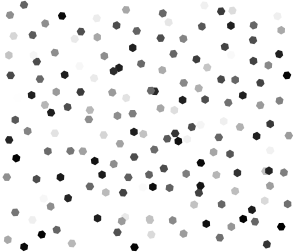
14. Hexagon Pattern with gradient, only applied to pattern.
The experimentation you can do with blending modes and adjustment layers are endless. If you want to change the colors, you can use a gradient layer or adjust them manually by right clicking the image material, then clicking "rasterize". Unfamiliar with gradient layers? Look here: https://help.clip-studio.com/en-us/manual_en/390_filters/Tonal_Correction_Effects.htm#1364051
Need some gradients for your shiny stickers? I've made several below. Just copy & paste the content ID numbers below into the search bar to find them. :D
One: 2106625 | Two: 1963105 | Three: 2167418 | Four: 2209830
If you need more sparkles & shine, here's some brushes I made a while back as well:
One: 1980728 | Two: 2026033 | Three: 2125947 | Four: 2126273
....I think I've posted way too many assets over the years. At least you guys enjoy them. ;w; ♥
Anyway, hope you have fun and enjoy!
ブラシ Brushes


テクスチャとパターン Textures & Patterns
-
感じられたテキスト felt text
-
有機ドット organic dots
-
軽いフラフ テキスト light fluff txt
-
ドットテクスチャ dot texture
-
クラシックノイズを滑らかにする classic noise smoothed
-
三角形グリッド - リボン triangle grid - ribbon
-
三角形グリッド - 白黒 triangle grid - black & white
-
ヘックスシャイン hex shine
-
ヘックス・シャイニー2 hex shiny 2
-
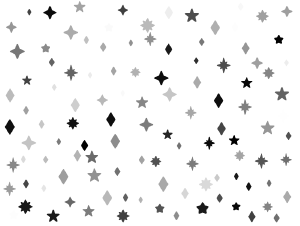
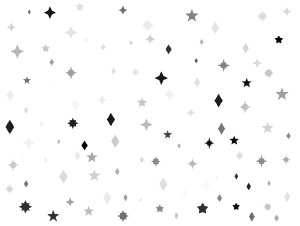
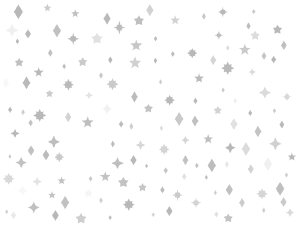
星のグリッターパターン1 star glitter pattern 1
-
スターグリッターパターンフェード1 star glitter pattern fade 1
-
スターフェイドグリッター2 star fade glitter 2
-
スター・グリッター・パターン2 star glitter pattern 2
-
星のグリッターパターン star glitter pattern






カラーパターン Color Patterns
-
サークルグリッター - ホログラフィックテクスチャ circle glitter - holographic texture
-
サークルグリッター - ホログラフィックオーバーレイ、より暗く circle glitter - holographic overlay darker
-
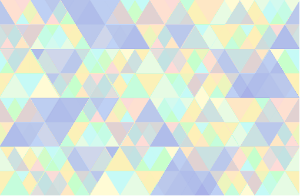
三角形グリッド - ホログラフィックオーバーレイ triangle grid - holographic overlay
-
三角形グリッド - エレガントなカラーオーバーレイ triangle grid - elegant color overlay
-
スターグリッター - ホログラフィックオーバーレイ star glitter - holographic overlay
-
スターグリッター - オーバーレイ2 star glitter - overlay 2
-
ワイルドグラスウェーブオーバーレイ wild glass wave overlay






"saturns_day"さんの別の素材


"素材集"の人気素材


新着素材





バッジ
-
 MVP ◆質問に対して適切な回答を数多く投稿し、コミュニティの運営に大きく貢献したユーザーです。MVPは3ヶ月に一度、その間に獲得したポイントを元に決定し、表彰を行っています。
 -
 NVP (New Valuable Player) ◆MVPに次いでコミュニティの運営に貢献したユーザーです。これまでMVPの受賞経験のない方から、獲得したポイントを元に決定し、表彰を行なっています。
 -
 公式エキスパート ◆優れた回答者の証であるMVP受賞者の中からさらに選ばれた、コミュニティで最も優良な回答者の証です。審査を経て当社から依頼し就任いただいています。※旧名称「エバンジェリスト」
 -
 セルシス公認モデレーター ◆モデレーターは、日本語とその他の言語が話せるセルシス公認のスタッフです。ソフトウェアや創作のエキスパートではないので、直接疑問を解決することはできませんが、みなさんがスムーズにコミュニケーションできるように、言葉やコミュニケーションの側面からサポートします。
 -
 セルシス公式運営に関連した公式アカウントです。