



スケッチ、シェーディング、線画用のアーティスト用鉛筆セット。エリーズが作った。 Set of artist pencils for sketching, shading, and line art. Made by Elise.


ここに示されているすべての素材、イラスト、キャラクターは私自身のオリジナル作品です。
【注】私はあまりオンラインにならず、コメントを読むこともできません。助けが必要な場合は、公式のチュートリアルやフォーラムを確認するか、Clip Studioのサポートチームに連絡してください。ご理解いただきありがとうございます!
All materials, illustrations, and characters shown here are my own original creations.
【Note】 I am not online often and cannot read comments. If you need help: check official tutorials and forums, or contact Clip Studio support team. Thank you for understanding!
鉛筆 Pencils
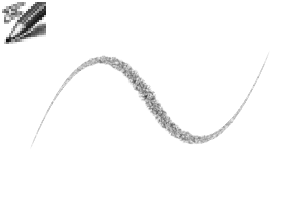
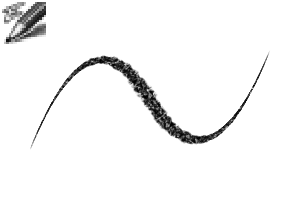

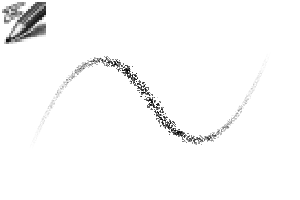
更新履歴
アップデート。2026年3月。** コレクションに新しいブラシを1本追加しました!** すべてのブラシを更新し、より効率的にしました。** アンチエイリアシングの設定が「ツールプロパティ」または「ツール設定」パネルで表示されるようになりました。** 更新のために再ダウンロードしてください。ありがとうございます! Update. March 2026. ** Added one new brush to the collection! ** Updated all brushes to make them more efficient. ** Anti-aliasing settings are now visible in "tool property" or "tool settings" panel. ** Please redownload to update. Thank you!
旧バージョン




"mh.elise"さんの別の素材


"素材集"の人気素材


新着素材




-
 MVP ◆質問に対して適切な回答を数多く投稿し、コミュニティの運営に大きく貢献したユーザーです。MVPは3ヶ月に一度、その間に獲得したポイントを元に決定し、表彰を行っています。
 -
 NVP (New Valuable Player) ◆MVPに次いでコミュニティの運営に貢献したユーザーです。これまでMVPの受賞経験のない方から、獲得したポイントを元に決定し、表彰を行なっています。
 -
 公式エキスパート ◆優れた回答者の証であるMVP受賞者の中からさらに選ばれた、コミュニティで最も優良な回答者の証です。審査を経て当社から依頼し就任いただいています。※旧名称「エバンジェリスト」
 -
 セルシス公認モデレーター ◆モデレーターは、日本語とその他の言語が話せるセルシス公認のスタッフです。ソフトウェアや創作のエキスパートではないので、直接疑問を解決することはできませんが、みなさんがスムーズにコミュニケーションできるように、言葉やコミュニケーションの側面からサポートします。
 -
 セルシス公式運営に関連した公式アカウントです。