



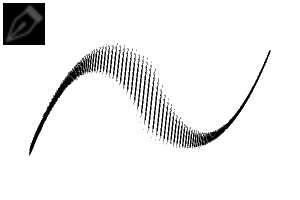
エレガントブラシセットは、スタイライズされた線画のために設計された洗練されたインクブラシコレクションです。
表現力豊かな線太さ、テクスチャーのある筆致、そしてエレガントなディテールに最適です。
Elegant Brush Set is a refined ink brush collection designed for stylized lineart,.
Perfect for expressive line weight, textured strokes, and elegant detailing.


Clip Studio Paintでの使い方
-
ブラシセットをダウンロードしてください。
-
Clip Studio Paintを開いてください。
-
ブラシファイルを サブツール のパレットにドラッグするか、 マテリアル→>ダウンロード→>サブツールにドラッグしてください。
-
調整:
-
太い線や細い線の筆のサイズ
-
柔らかいストロークのための不透明度
-
よりクリーンな曲線のための安定化
-
表現的なライン変化のための圧力設定
-
How to Use in Clip Studio Paint
-
Download the brush set.
-
Open Clip Studio Paint.
-
Drag the brush file into your Sub Tool palette OR Go to Material -> Download -> Drag into Sub Tool.
-
Adjust:
-
Brush Size for bold or fine lines
-
Opacity for softer strokes
-
Stabilization for cleaner curves
-
Pressure settings for expressive line variation
-
セット1.0 Set 1.0


"SIENNAMI"さんの別の素材


"素材集"の人気素材


新着素材


-
 MVP ◆質問に対して適切な回答を数多く投稿し、コミュニティの運営に大きく貢献したユーザーです。MVPは3ヶ月に一度、その間に獲得したポイントを元に決定し、表彰を行っています。
 -
 NVP (New Valuable Player) ◆MVPに次いでコミュニティの運営に貢献したユーザーです。これまでMVPの受賞経験のない方から、獲得したポイントを元に決定し、表彰を行なっています。
 -
 公式エキスパート ◆優れた回答者の証であるMVP受賞者の中からさらに選ばれた、コミュニティで最も優良な回答者の証です。審査を経て当社から依頼し就任いただいています。※旧名称「エバンジェリスト」
 -
 セルシス公認モデレーター ◆モデレーターは、日本語とその他の言語が話せるセルシス公認のスタッフです。ソフトウェアや創作のエキスパートではないので、直接疑問を解決することはできませんが、みなさんがスムーズにコミュニケーションできるように、言葉やコミュニケーションの側面からサポートします。
 -
 セルシス公式運営に関連した公式アカウントです。