


セルシェーディングにおける内側ぼかし効果 (Inner blur effect for cell shading) Inner blur effect for cell shading
コンテンツID:2246182
-
25


セルシェーディングを仕上げて、より滑らかに見せるためのオートアクションです。 An autoaction to finish up cell shading and make it look smoother.
1. シェーディング付きのレイヤーを選択する
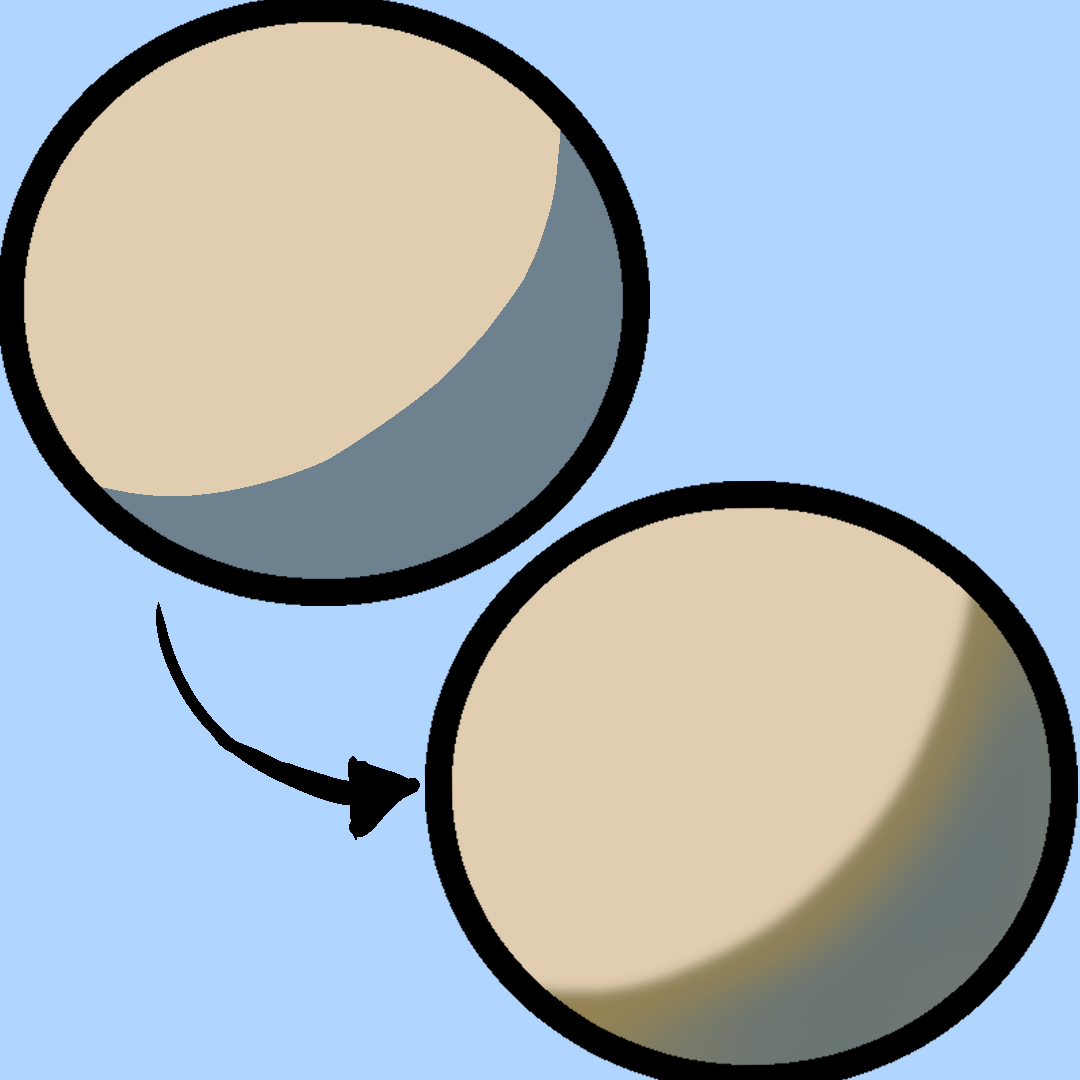
2. 「中間色」として選びたい色を選ぶ。
最初のポップアップウィンドウ:中央線の太さ
2つ目のポップアップウィンドウ:影の中の内側の線がぼやけている
3番目と4番目(同じサイズ推奨):全体の色のぼかし
3. 必要に応じて滑らかなエリーザーで角を調整します
1. Select the layer with shading
2. Choose the color you want to be the "in-between" color.
The first pop-up window: thickness of the middle line
Second pop up window: blur of the inner line within the shadow
Third and fourth (same size recommended): blur of the whole shade
3. Adjust the corners with smooth ereaser if needed


"オートアクション"の人気素材



新着素材





バッジ
-
 MVP ◆質問に対して適切な回答を数多く投稿し、コミュニティの運営に大きく貢献したユーザーです。MVPは3ヶ月に一度、その間に獲得したポイントを元に決定し、表彰を行っています。
 -
 NVP (New Valuable Player) ◆MVPに次いでコミュニティの運営に貢献したユーザーです。これまでMVPの受賞経験のない方から、獲得したポイントを元に決定し、表彰を行なっています。
 -
 公式エキスパート ◆優れた回答者の証であるMVP受賞者の中からさらに選ばれた、コミュニティで最も優良な回答者の証です。審査を経て当社から依頼し就任いただいています。※旧名称「エバンジェリスト」
 -
 セルシス公認モデレーター ◆モデレーターは、日本語とその他の言語が話せるセルシス公認のスタッフです。ソフトウェアや創作のエキスパートではないので、直接疑問を解決することはできませんが、みなさんがスムーズにコミュニケーションできるように、言葉やコミュニケーションの側面からサポートします。
 -
 セルシス公式運営に関連した公式アカウントです。