




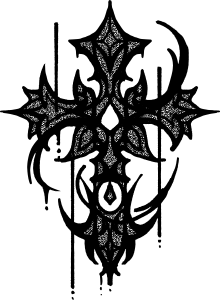
またエッジの効いたタトゥーデザインを作った。これらのデザインは前回のセットよりも少し細かいです。 More edgy tattoo designs I created. These designs are a little more detailed than the last set.
今では、タトゥーデザインを3Dモデルに直接付けることがこれまで以上に簡単になりました。
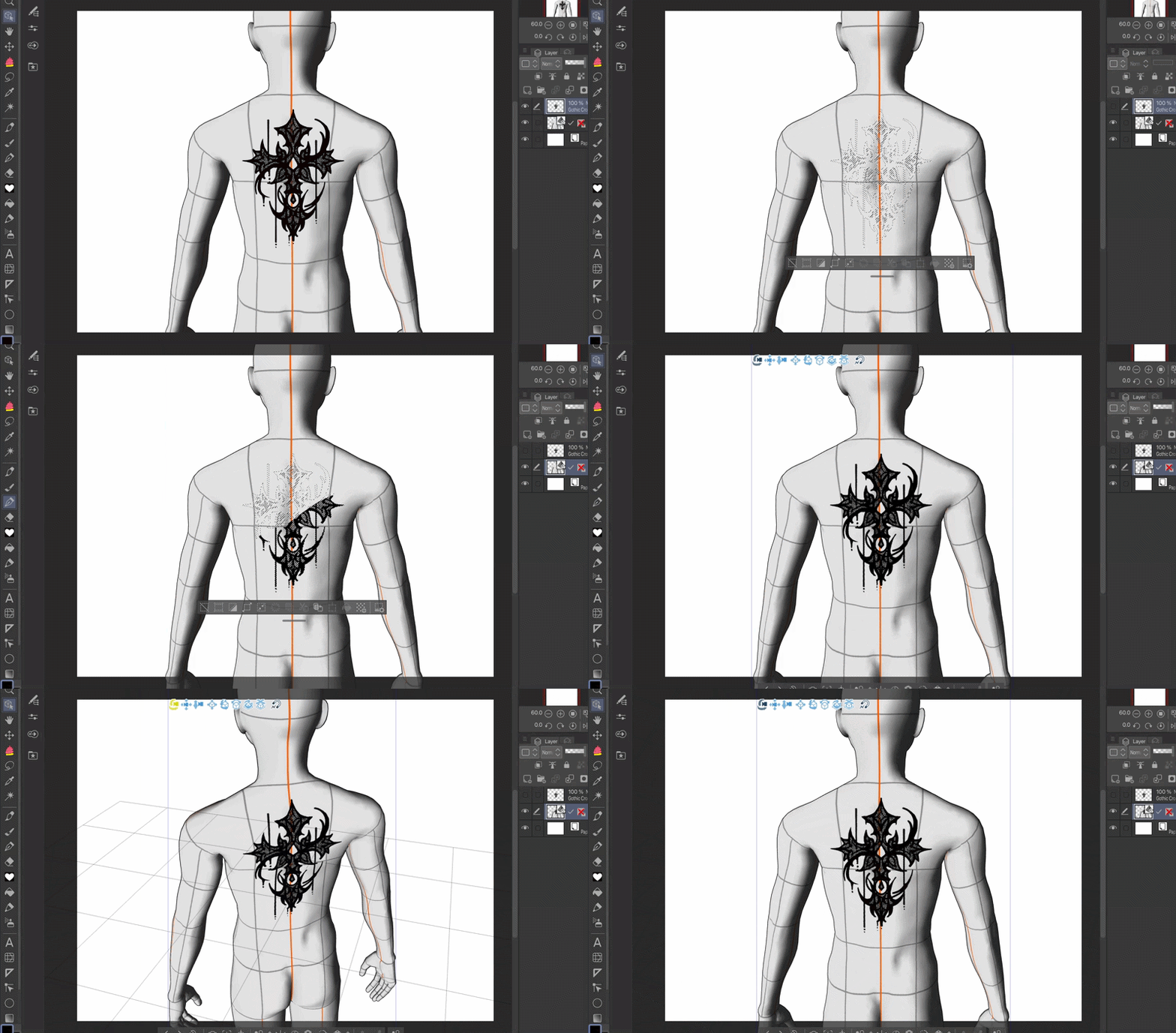


ステップ1:タトゥーのデザインを新しいレイヤーに設定します。
ステップ2:デザインのあるレイヤーを選択します。
ステップ3:3Dモデルに戻り、ペンツールで選択範囲を埋めます。選択を外せば終わりです!
今ではどの角度からでもタトゥーのデザインが見えます。
デザインを重ね合わせて、自分の好みにモンスターのタトゥーを作りましょう。前のセットをダウンロードすれば、より多くの素材が使えます。

モデルをさまざまなポーズに置くと、デザインはモデルの肌に合わせて伸びたり動きたりします。

It is now easier than ever to attach the tattoo designs directly onto the 3D model.
Step 1: Set the tattoo design onto a new layer.
Step 2: Select the layer with the design.
Step 3: Go back to the 3D model and fill in the selection with a pen tool. Deselect and you’re done!
Now you can see the tattoo design at any angle.
Stack the designs together and create monster tattoos to your liking. You can have more to work with if you download the previous set.
You can put the model in various poses and the designs will stretch and move along with the model’s skin.
カテゴリー1 Category 1






"Kyappy"さんの別の素材


"素材集"の人気素材


新着素材


バッジ
-
 MVP ◆質問に対して適切な回答を数多く投稿し、コミュニティの運営に大きく貢献したユーザーです。MVPは3ヶ月に一度、その間に獲得したポイントを元に決定し、表彰を行っています。
 -
 NVP (New Valuable Player) ◆MVPに次いでコミュニティの運営に貢献したユーザーです。これまでMVPの受賞経験のない方から、獲得したポイントを元に決定し、表彰を行なっています。
 -
 公式エキスパート ◆優れた回答者の証であるMVP受賞者の中からさらに選ばれた、コミュニティで最も優良な回答者の証です。審査を経て当社から依頼し就任いただいています。※旧名称「エバンジェリスト」
 -
 セルシス公認モデレーター ◆モデレーターは、日本語とその他の言語が話せるセルシス公認のスタッフです。ソフトウェアや創作のエキスパートではないので、直接疑問を解決することはできませんが、みなさんがスムーズにコミュニケーションできるように、言葉やコミュニケーションの側面からサポートします。
 -
 セルシス公式運営に関連した公式アカウントです。