



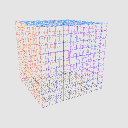
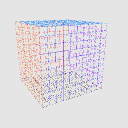
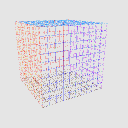
遠近法で都市環境や風景をスケッチするためのワイヤーフレームモデル。
Wireframe model for sketching urban environments and landscapes with perspective.

* モデルをファイルに追加してください。
* 視点の角度と歪みの度合いを選びます。
* レイヤーを2回複製してモデルの3つのレイヤーにします。
* スケッチ用のレイヤーを作成する。
* モデルがあるレイヤーからスケッチレイヤーにパースペクティブルーラーを移し、定規のない3Dレイヤーを削除してください。

* モデルの最後のレイヤーでは、境界フォルダだけを表示させ、壁、天井、床のいずれかを無効にすることもできます。

* モデルのあるレイヤーの一つでは、X-Y-Z軸のフォルダを見えるように保ちます。

* 可動パーツのスライダーを使ってX-Y-Z軸を動かし、スケッチを始めてください。

道具の使用例。

* Add the model to the file.
* Choose the angle and degree of distortion in the perspective.
* Duplicate the layer twice so that you have 3 layers of the model.
* Create a layer for sketching.
* Transfer the perspective rulers from one layer with the model to the sketch layer and delete the 3D layer that is left without the ruler.
* On the last layer with the model, leave only the Boundaries folder visible, and you can also disable one of the walls, ceiling, or floor.
* On one of the layers with the model, keep the folder with the X-Y-Z axes visible.
* Use the movable part sliders to move the X-Y-Z axes and start sketching.
Example of tool use.
素材 Material
-
デフォルト素材 Default material
配分 Allocate
-
デフォルトのレイアウト Default layout
可動部品 Movable parts
-
X X
-
Y Y
-
Z Z




"zerostrifex"さんの別の素材


"3Dオブジェクト"の人気素材


新着素材






バッジ
-
 MVP ◆質問に対して適切な回答を数多く投稿し、コミュニティの運営に大きく貢献したユーザーです。MVPは3ヶ月に一度、その間に獲得したポイントを元に決定し、表彰を行っています。
 -
 NVP (New Valuable Player) ◆MVPに次いでコミュニティの運営に貢献したユーザーです。これまでMVPの受賞経験のない方から、獲得したポイントを元に決定し、表彰を行なっています。
 -
 公式エキスパート ◆優れた回答者の証であるMVP受賞者の中からさらに選ばれた、コミュニティで最も優良な回答者の証です。審査を経て当社から依頼し就任いただいています。※旧名称「エバンジェリスト」
 -
 セルシス公認モデレーター ◆モデレーターは、日本語とその他の言語が話せるセルシス公認のスタッフです。ソフトウェアや創作のエキスパートではないので、直接疑問を解決することはできませんが、みなさんがスムーズにコミュニケーションできるように、言葉やコミュニケーションの側面からサポートします。
 -
 セルシス公式運営に関連した公式アカウントです。