



ペンディスプレイタブレットの作業スペースは最小限に抑えられます。Huion Kamvas Pro 19画面をベースにしています。 Minimal workspace for pen display tablets. Based on a Huion Kamvas Pro 19 screen.
これは私が現在Huion Kamvas Pro 19ペンディスプレイタブレットで使っている作業スペースです。画面の散らかりを最小限にしたかったのですが、自分に合うものが見つかりませんでした。そこで、自分の作品を作って共有することにしました。
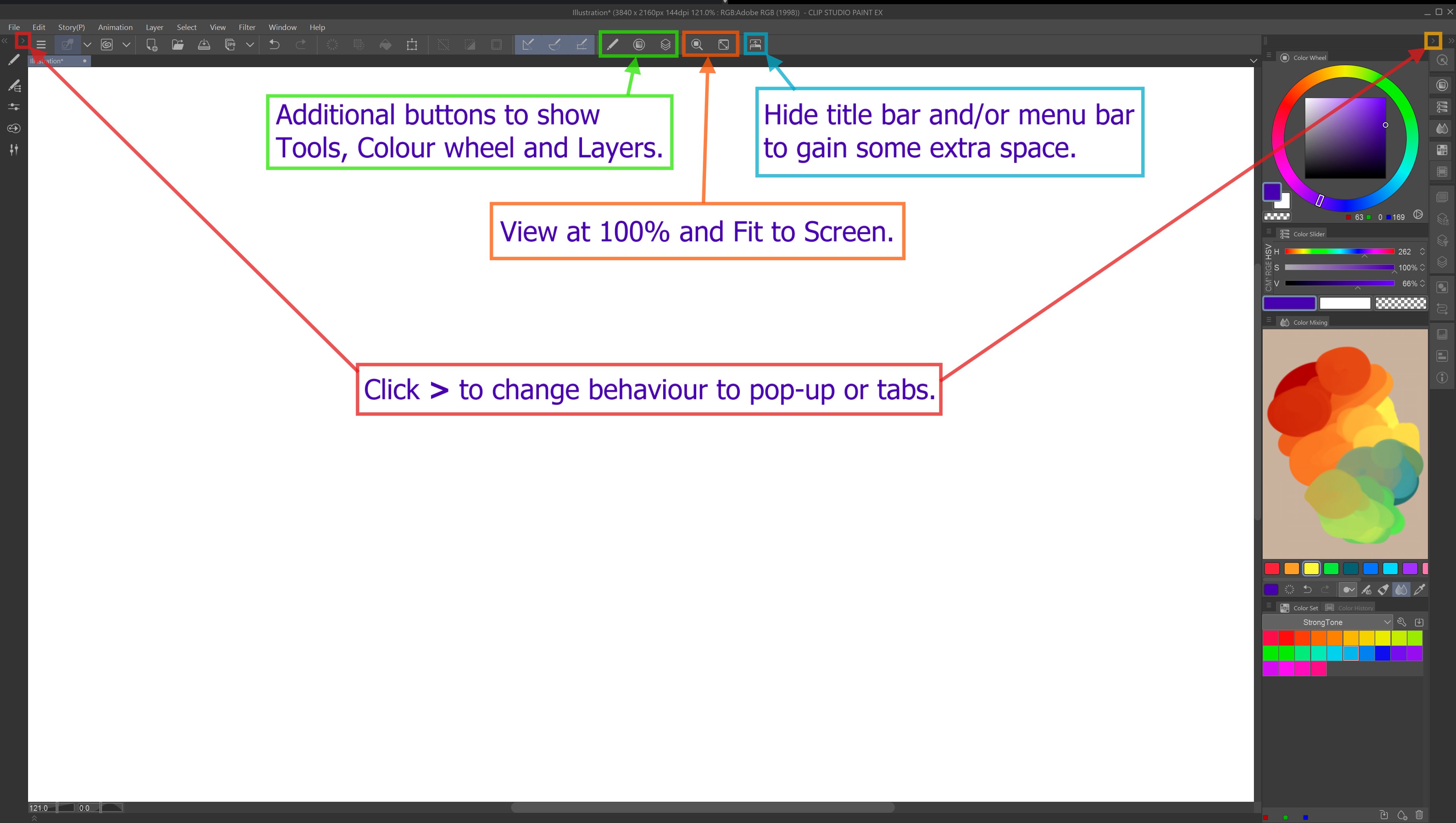
テキストやインターフェース要素を快適に表示する最適な設定はまだ模索中ですが、今のところの状況は以下の通りです:
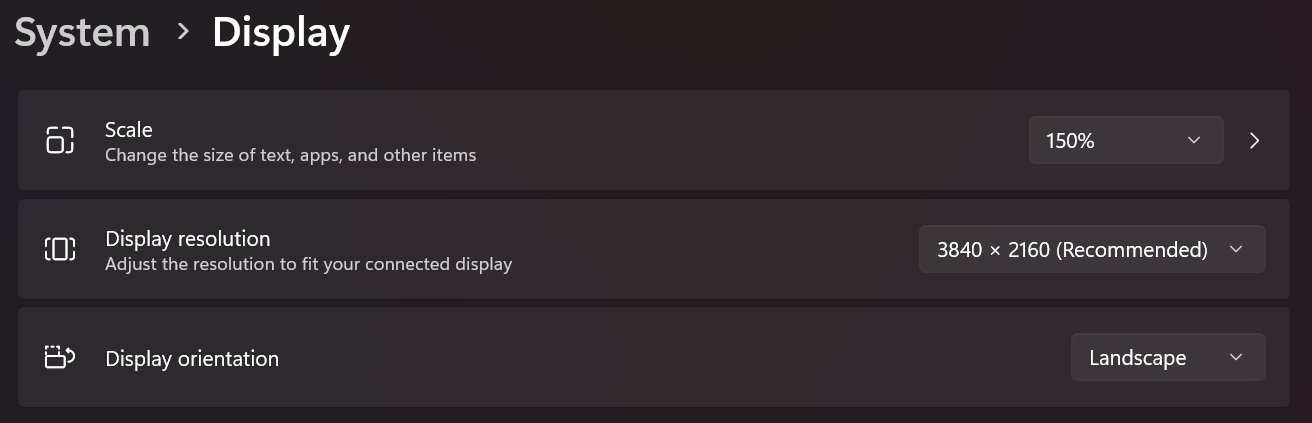

Windowsの表示設定:
スケール150%
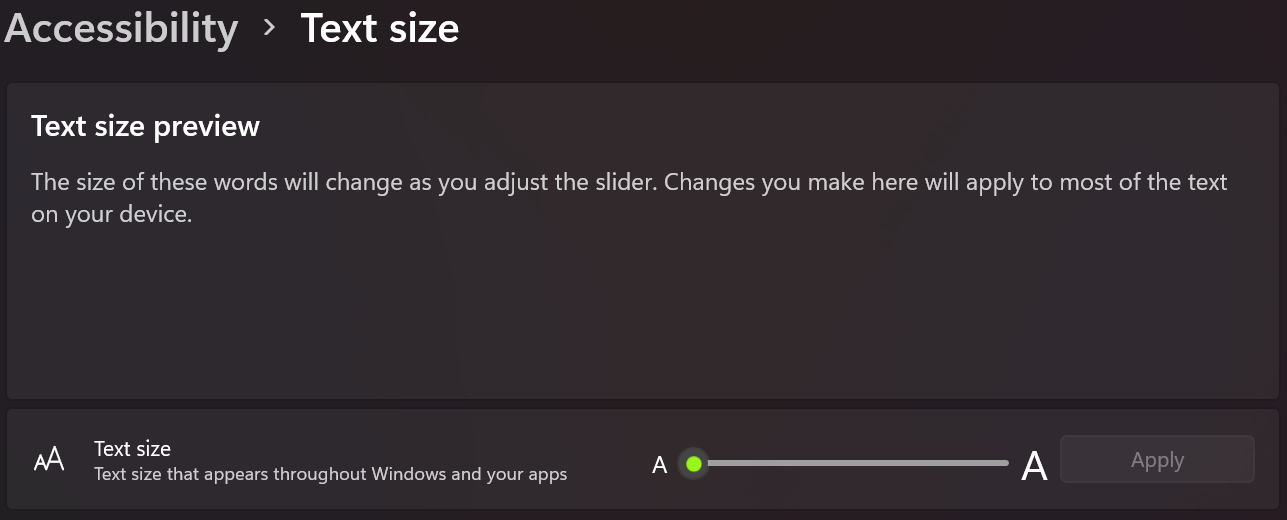
テキストサイズを大きくするかもしれませんが、今のところはデフォルトのままです:
Clip Studio Paintの設定:
インターフェース>タッチ操作>デフォルト

この方法があなたにも合うことを願っています。必要があれば新しいバージョンをアップロードします。
お楽しみください!
This is my current workspace that I use on my Huion Kamvas Pro 19 pen display tablet. I wanted minimal clutter on screen and could not find one that felt good to me. So, I decided to make and share my own.
I'm still figuring out the best settings to display text and interface elements comfortably, but this is what I have now:
Display settings for Windows:
Scale 150%
I might increase text size, but for now I have it at it's default:
Preferences in Clip Studio Paint:
Interface > Touch Operations > Default
I hope this work for you as well, I will upload a new version if I feel the need.
Enjoy!


"ワークスペース"の人気素材





新着素材







バッジ
-
 MVP ◆質問に対して適切な回答を数多く投稿し、コミュニティの運営に大きく貢献したユーザーです。MVPは3ヶ月に一度、その間に獲得したポイントを元に決定し、表彰を行っています。
 -
 NVP (New Valuable Player) ◆MVPに次いでコミュニティの運営に貢献したユーザーです。これまでMVPの受賞経験のない方から、獲得したポイントを元に決定し、表彰を行なっています。
 -
 公式エキスパート ◆優れた回答者の証であるMVP受賞者の中からさらに選ばれた、コミュニティで最も優良な回答者の証です。審査を経て当社から依頼し就任いただいています。※旧名称「エバンジェリスト」
 -
 セルシス公認モデレーター ◆モデレーターは、日本語とその他の言語が話せるセルシス公認のスタッフです。ソフトウェアや創作のエキスパートではないので、直接疑問を解決することはできませんが、みなさんがスムーズにコミュニケーションできるように、言葉やコミュニケーションの側面からサポートします。
 -
 セルシス公式運営に関連した公式アカウントです。