


パンダのアニメーション・オートアクションパック (Panda's ANIMATION Auto-Action PACK) Panda's ANIMATION Auto-Action PACK
コンテンツID:2237670
-
262


フライングパンダです
(要約:最後に)
Pandsフォルダーフォーム

荒い世界へ
- このオートアクションはキーボードショートカットに設定し、F5に設定しています。私は単一層よりも 「F5 ALL LAYER」 をよく使う傾向がありますが、最終的にはあなた次第です。
- 単に「インサートフレーム」ですが、細かい操作は省略されています。ボタンを押すだけでいい。

*なぜフォルダなのか?
このパックをご利用いただきありがとうございます:D
私は自分のためにこれらの自動アクションを作っていて、しばらくして気づいた...私をとても助けてくれたのだから、ぜひ皆さんに渡してみませんか!
私は自分のためにこれらの自動アクションを作っていて、しばらくして気づいた...私をとても助けてくれたのだから、ぜひ皆さんに渡してみませんか!
以下はこれらの機能の概要です:
パンダキャンバス
パンダキャンバス
- アニメーションの冒頭で、キャンバスのセットアップに使います。
(あまり使っていませんが、ただ楽しみで使っています。)
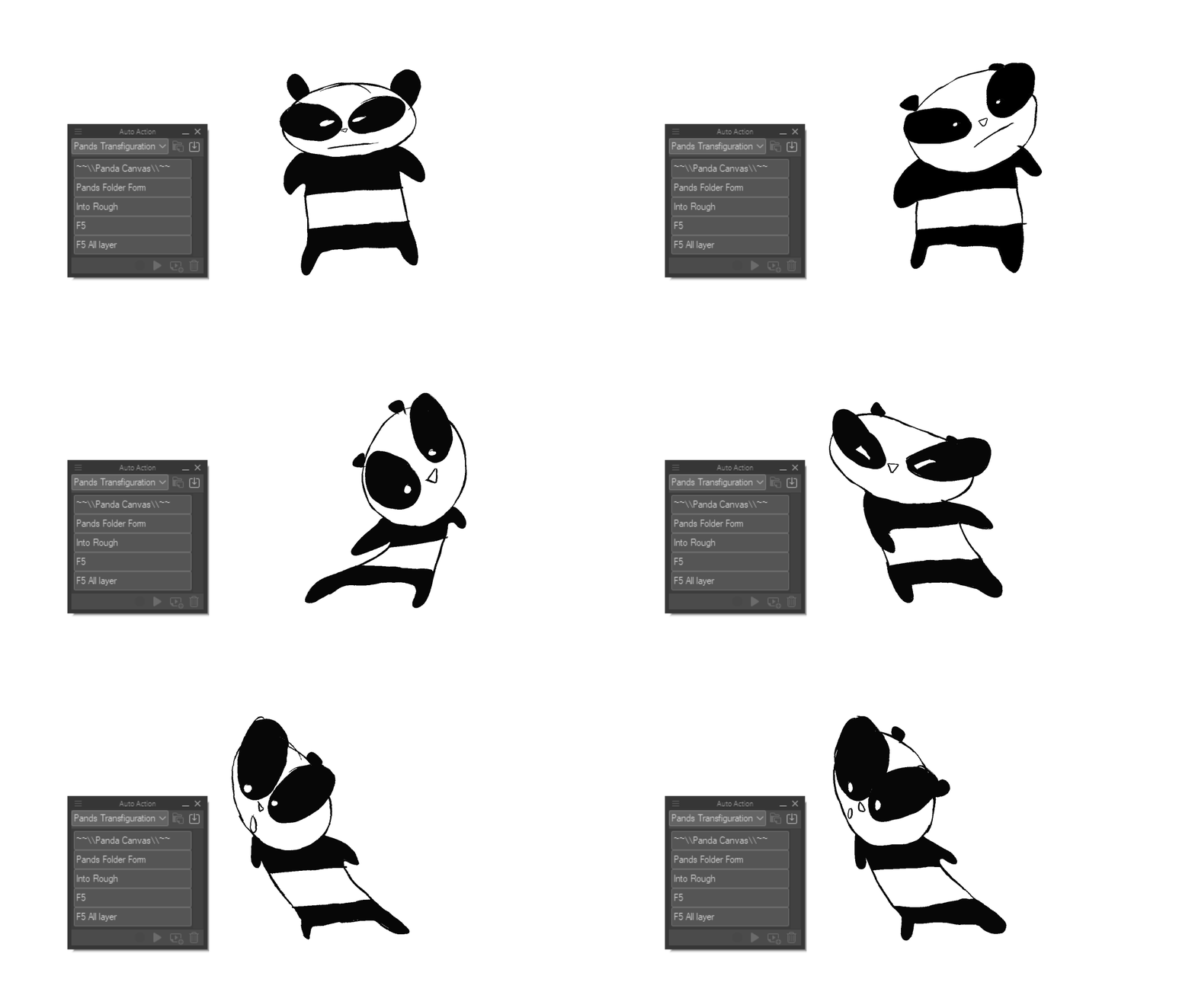
Pandsフォルダーフォーム
- 私のパンとバター。
- 私は時々、1レイヤーでまっすぐなラフをアニメーションします。 「Pands Folder Form」を使い、Single Frameを即座に「Line」 と「Shading」という名前のフォルダ*に変換します。
- クイックアニメーション、ラフ、アニマティクスに最適です。フォルダの設定を忘れた場合は、この自動アクションを使っています。
(私はこれをアイスクリームフィルツール(Content ID:1759448)と一緒に 使うのがとても好きです)

荒い世界へ
- フォルダーフォームですが、線の代わりにラフに変わるので、線をつけたい場合に備えて。私はあまり使っていませんが、ただの実験です。
F5 + F5 オールレイヤー
- F5は、フレーム数を増やすためのAdobe Animateの一般的なキーボードショートカットです。
- このオートアクションはキーボードショートカットに設定し、F5に設定しています。私は単一層よりも 「F5 ALL LAYER」 をよく使う傾向がありますが、最終的にはあなた次第です。
- 単に「インサートフレーム」ですが、細かい操作は省略されています。ボタンを押すだけでいい。

*なぜフォルダなのか?
アニメはよくフォルダを使うので、フォルダを使う習慣をつけるのは良いことです。
要約:
私は「Pands Folder Form」と「F5 All Layers」をよく使っています。
私は「Pands Folder Form」と「F5 All Layers」をよく使っています。
他のものはただの遊びです。
これがあなたに自分でオートアクションを作ってアニメーションを楽しんでみるきっかけになれば幸い:D
THEFLYINGPANDA HERE
(tldr: at the end)
Pands Folder Form
Into Rough
- I use this auto action by setting it to a keyboard shortcut, and making it F5. I tend to use "F5 ALL LAYER" more than single layer but, it's up to you.
- It is simply "Insert Frame" but without all the finicky stuff. Just press a button.
*Why folders?
Thanks for using this pack :D
I made these auto actions for myself, and after a while I realised... why not give them out to you guys since they've helped me so much!
I made these auto actions for myself, and after a while I realised... why not give them out to you guys since they've helped me so much!
Here's a run down of what these do:
PANDA CANVAS
PANDA CANVAS
- At the beginning of an animation, I use this just to set up my canvas.
(I don't really use this much, it's just here for fun.)
Pands Folder Form
- My Bread and Butter.
- I sometimes just animate straight ahead roughs on 1 layer. "Pands Folder Form", and it instantly makes the Single Frame into a Folder* named: 'Line' and 'Shading'.
- GREAT for quick anims, roughs and animatics. If I forget to set up folders, I use this auto action.
(I really like to use this with the Ice Cream Fill Tool (Content ID:1759448))
Into Rough
- Folder Form but instead of line, it turns it into a rough, incase you wanted to line it. I don't really use this, it's just an experiment.
F5 + F5 All Layer
- F5 is a common Adobe Animate keyboard shortcut to increase frames.
- I use this auto action by setting it to a keyboard shortcut, and making it F5. I tend to use "F5 ALL LAYER" more than single layer but, it's up to you.
- It is simply "Insert Frame" but without all the finicky stuff. Just press a button.
*Why folders?
Anime often uses Folders and it's good to get into the habit of using folders.
TLDR:
I use 'Pands Folder Form' and 'F5 All Layers' the most.
I use 'Pands Folder Form' and 'F5 All Layers' the most.
The others are just for fun.
I hope this inspired you to try making your own auto actions and having fun with animation :D








"TheFlyingPanda"さんの別の素材

"オートアクション"の人気素材





新着素材





バッジ
-
 MVP ◆質問に対して適切な回答を数多く投稿し、コミュニティの運営に大きく貢献したユーザーです。MVPは3ヶ月に一度、その間に獲得したポイントを元に決定し、表彰を行っています。
 -
 NVP (New Valuable Player) ◆MVPに次いでコミュニティの運営に貢献したユーザーです。これまでMVPの受賞経験のない方から、獲得したポイントを元に決定し、表彰を行なっています。
 -
 公式エキスパート ◆優れた回答者の証であるMVP受賞者の中からさらに選ばれた、コミュニティで最も優良な回答者の証です。審査を経て当社から依頼し就任いただいています。※旧名称「エバンジェリスト」
 -
 セルシス公認モデレーター ◆モデレーターは、日本語とその他の言語が話せるセルシス公認のスタッフです。ソフトウェアや創作のエキスパートではないので、直接疑問を解決することはできませんが、みなさんがスムーズにコミュニケーションできるように、言葉やコミュニケーションの側面からサポートします。
 -
 セルシス公式運営に関連した公式アカウントです。