


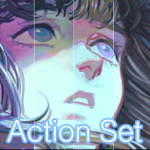
カラーバリエーション(アクションセット) (Color Variations (Action set)) Color Variations (Action set)
コンテンツID:1973423
-
9,020


作業により多くのカラーバリエーションを作成するためのアクションセット。
サイドノートとインストールノートも説明に含まれています。
An Action Set to create more color variations to your work.
Side note and installing note are also included in the description.

- 手動で調整するためのサイドノート:
灰色の四角形(このカラーバリエーションセットから作成された補正レイヤー)をダブルクリックすると、次のようになります。

ポップアップウィンドウには、赤、緑、青の曲線が表示されます(左上のドロップダウンメニューから)。それらは私が上でスクリーンショットしたもののように見えるでしょう。
それらもあなたの好みに合わせて調整することができます!
- インストールノート:
1.素材をダウンロードした後、「自動アクション」ツールボックスにドラッグしてください。
2.選択できる 3つのアクションセット があります。

3.下部にある [再生]ボタンをクリックする よりも、好きなものを選択してください。

4.レイヤーの上部に 不透明度15%の「ソフトライト」レイヤー を作成します。

15%の 不透明度は、私が最も自然に見えると思うものです。
しかし、あなたの好みに合わせてそれを自由に聞いてください!
- Side note for adjusting manually:
If you double-click on the grey square (which is the correction layer create from this color variation set):
The pop-up window would show the red, green, blue curves(from the drop down menu at the top left). They would look like what I screenshot above.
Those can also be adjusted to your liking!
- Installing note:
1. Please drag it to your “Auto Action” tool box after downloading the material:
2.There will be 3 action sets for you to choose:
3. Pick one that you like, than click the “Play” button at the bottom:
4. It’ll create a “soft light” layer with 15% opacity on the top of your layers:
15% opacity is what I think looks most natural.
But feel free to audjust it to your liking!
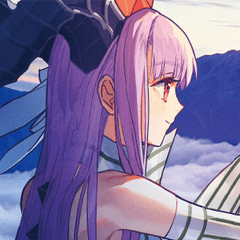
カラーバリエーションアクションセット Color Variation action sets









"KiaSherria"さんの別の素材


"素材集"の人気素材


新着素材


バッジ
-
 MVP ◆質問に対して適切な回答を数多く投稿し、コミュニティの運営に大きく貢献したユーザーです。MVPは3ヶ月に一度、その間に獲得したポイントを元に決定し、表彰を行っています。
 -
 NVP (New Valuable Player) ◆MVPに次いでコミュニティの運営に貢献したユーザーです。これまでMVPの受賞経験のない方から、獲得したポイントを元に決定し、表彰を行なっています。
 -
 公式エキスパート ◆優れた回答者の証であるMVP受賞者の中からさらに選ばれた、コミュニティで最も優良な回答者の証です。審査を経て当社から依頼し就任いただいています。※旧名称「エバンジェリスト」
 -
 セルシス公認モデレーター ◆モデレーターは、日本語とその他の言語が話せるセルシス公認のスタッフです。ソフトウェアや創作のエキスパートではないので、直接疑問を解決することはできませんが、みなさんがスムーズにコミュニケーションできるように、言葉やコミュニケーションの側面からサポートします。
 -
 セルシス公式運営に関連した公式アカウントです。