


Textures de peinture (Painting Textures) Painting Textures
Numéro d'identification du contenu:2249264
-
470


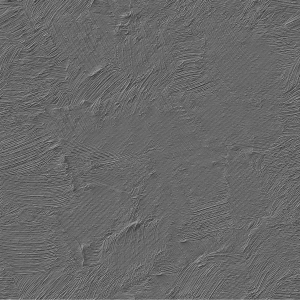
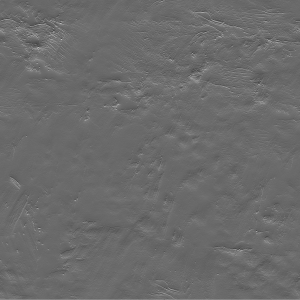
Textures / Matériaux qui vous aident à obtenir un effet de peinture magnifique Textures / Materials that help you get beautiful painting effect
N’oubliez pas de redimensionner les deux textures à la même taille (par exemple 100 %, ou 55 %, ou ce que vous voulez, elles doivent être IDENTIQUES).
N’oublie pas de choisir ÇA dans le panneau des effets et de jouer avec la force comme tu veux

Avant

Après

Remember to resize both textures to same size (for example 100%, or 55%, or whatever you like, they need to be THE SAME.)
remember to choose THAT in effect panel and play with the strenght as you want
Before
After
Catégorie 1 Category 1

















Numéro d'identification du contenu:2249264
Date de publication : 7 months ago
Date de mise à jour : 3 months ago





Autre(s) matériau(x) de "KarolH"


Matériaux populaires parmi "Catalogue de matériaux"


Matériaux récents





-
 MVP ◆Le MVP est un utilisateur qui a largement contribué au bon fonctionnement de la communauté à travers ses nombreux postes répondant convenablement aux questions posées. Nous sélectionnons et décernons le prix MVP tous les trois mois, selon les points obtenus au cours de cette période.
 -
 NVP (New Valuable Player) ◆Un NVP est un des utilisateurs ayant le plus contribué à la gestion de la communauté après les MVP. Un NVP est sélectionné sur la base des points gagnés, parmi les personnes n'ayant pas encore reçu le titre de MVP jusqu'à présent.
 -
 Experts officiels ◆Sélectionné parmi tous les lauréats du prix MVP qui sont déjà un signe d'excellence, c'est une preuve du meilleur répondant au sein de la communauté. Après un examen attentif, ils sont nommés par CELSYS et prennent leurs fonctions.*Anciennement connu sous le nom d’Évangélistes.
 -
 Les modérateurs officiels de CELSYS ◆Les modérateurs sont des membres officiels de CELSYS qui peuvent parler le japonais et d'autres langues. N'étant pas les spécialistes du programme et des créations, ils ne peuvent pas répondre directement à vos questions. Cependant, ils sont là pour vous aider dans le domaine de langue et de communication afin de faciliter la communication entre vous et les utilisateurs venant du monde entier.
 -
 CELSYS officielCeci est le compte officiel de CELSYS pour le service et la gestion.