



Hice un tutorial, aquí están los pinceles que hice mientras lo hacía. :0 I made a tutorial, here are the brushes I made while doing it. :0
Acabo de publicar un tutorial sobre cómo hacer que tus pinceles dejen de tener lag. Puedes echarle un vistazo aquí: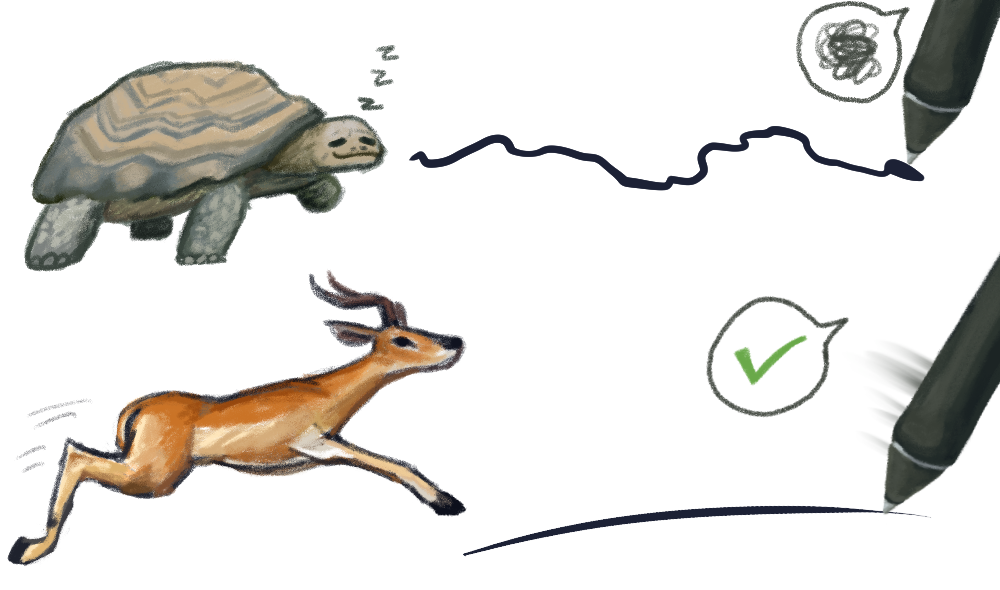


https://tips.clip-studio.com/en-us/articles/17052
Ahora tus bolígrafos no serán muy lentos ni tendrán un tamaño de archivo extrañamente grande. :0
Hice algunos pinceles para mostrar a qué me refería en ese tutorial, así que aquí están. No dudes en ajustarlos, los hice como experimento así que te animo a que los hagas más bonitos.
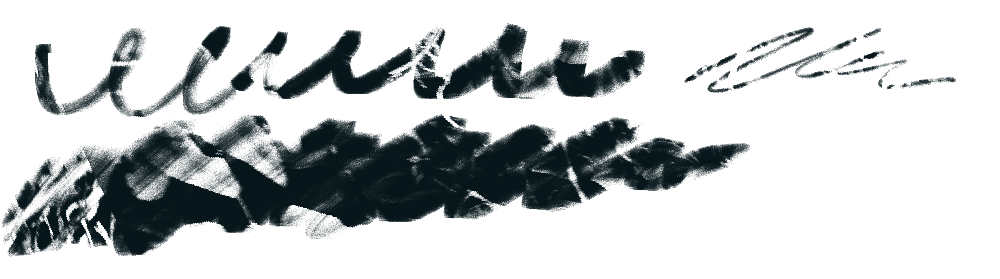
1. Bolígrafo de textura foliar
Este bolígrafo fue hecho para mostrar cómo el tamaño del material afecta a la salida del pincel. ¿Tamaño mayor con un DPI alto? Más retardo. Esta es la versión pequeña y fija con la textura perezosa pero divertida de hoja no repetitiva, tierra firma.
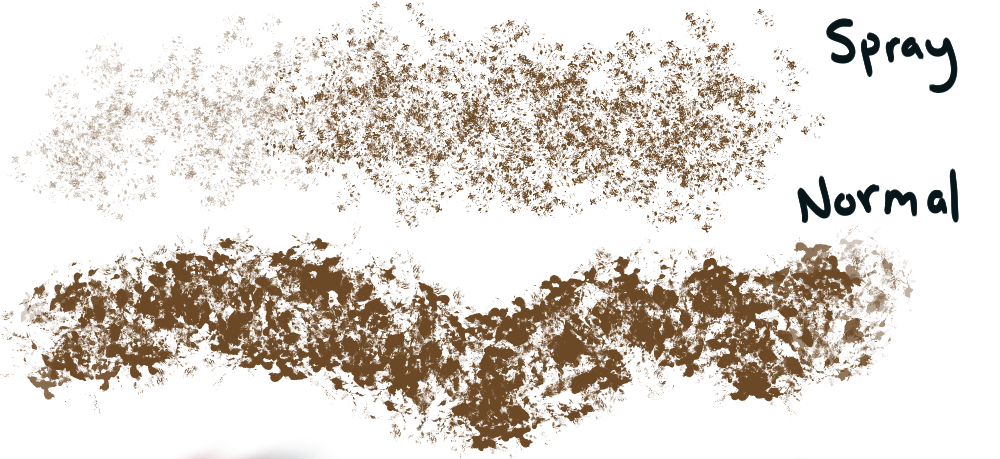
2. Spray & Pray - Texturizador de bolas de papel
Solo un pincel básico que hace ruido. Muestra cómo si tienes un rociado continuo en un bolígrafo grande o un spray, puede hacer que el pincel se retrase.
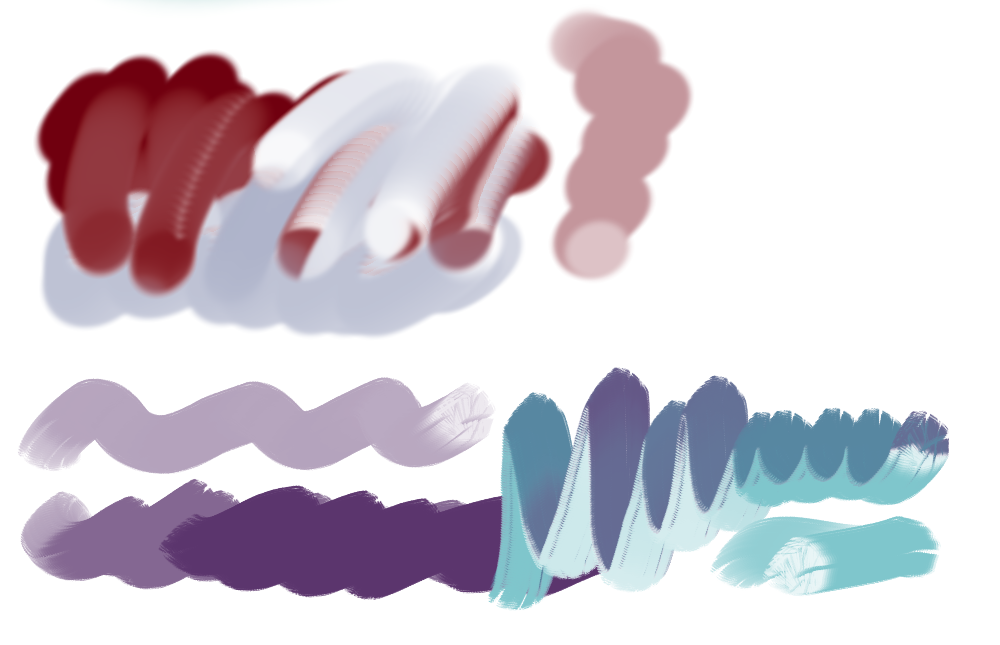
3. Marcador de fusión

Es un pincel de baja densidad y bordes suaves que se funde con otros colores. Se puede usar para dibujar, dibujar y colorear.
4. Marcador de fusión - Mezclado
El mismo bolígrafo, pero con la mezcla de color activada. Este pincel muestra que el "color corriente" da muy buenos resultados, pero tiende a retrasarse. Siéntete libre de ajustarlo a otro modo de color o usarlo tal cual.
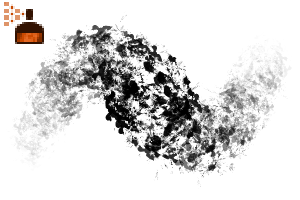
5 y 6. ¡Pinceles de arrastre raros!
¡Este es un efecto de mancha muy divertido creado con mucho elástico de color! Te di dos para que vieras cómo quedaba, con y sin una punta única. También puedes poner una punta única en la blanca y hacer tu propio pincel chulo. Ten cuidado, estos dos pueden ser lentos.
Gracias por echar un vistazo a esto. ¡Mantén tus pinceles sin retraso!
I just released a tutorial on how to get your brushes to stop lagging. You can take a look at it here:
https://tips.clip-studio.com/en-us/articles/17052
Now your pens won't be super slow or have a weirdly large file size. :0
I made a few brushes to show what I meant in that tutorial, so here they are. Feel free to adjust them, I made them as an experiment so I encourage you to make them nicer!
1. Leafy Texture Pen
This pen was made to show how material size affects the brush's output. Larger size with a high DPI? More lag. This is the small, fixed version with the lazy but fun non-repeating leaf texture, terra firma.
2. Spray & Pray - Paper Ball Texturer
Just a basic noise making brush. Shows how if you have continuous spraying on a large pen or a spray pen, it can make a brush lag.
3. Melting Marker
This is a brush with a low density & soft edges that melts into other colors. Can be used to sketch, draw, and color.
4. Melting Marker - Blending
The same pen, but with color mixing turned on. This brush shows that "running color" provides great results, but it does tend to lag. Feel free to adjust it to a different color mode or use it as-is.
5 & 6. Weird Drag Brushes!
This is a really fun smear effect created with high color stretch! I gave you two so you could see how it looked with and without a unique tip. You can also put a unique tip on the blank one and make your own cool brush. Be careful, these two can be slow.
Thank you for having a look at these. Keep your brushes lag free!
Pinceles Brushes
-
¡Cepillo raro para arrastrar! - Punta única Weird Drag Brush! - Unique Tip
-
¡Cepillo raro para arrastrar! Weird Drag Brush!
-
Marcador de fusión - Mezcla Melting Marker - Blend
-
Marcador de fusión - Sin mezcla Melting Marker - No Blend
-
Textura de bola de papel Spray and Pray Spray and Pray Paper Ball Texture
-
Penígrafo de textura foliar Leafy Textured Pen





Textura Texture








Más materiales de saturns_day


Materiales populares de Catálogos de materiales


Nuevos materiales



Insignias
-
 MVP ◆Estos usuarios han contribuido en gran medida a la gestión de la comunidad, al publicar multitud de útiles respuestas a las preguntas planteadas. Una vez cada tres meses, los MVP son seleccionados en base a los puntos obtenidos durante ese período y, en consecuencia, son reconocidos por su esfuerzo.
 -
 New Valuable Player (NVP) ◆Son las personas que más han contribuido a la comunidad después de los MVP. Este galardón se otorga según los puntos conseguidos a los usuarios que aún no han obtenido ningún premio MVP.
 -
 Especialista oficial ◆Elegidos de entre todos los MVP, quienes ya han demostrado ser de inestimable ayuda, esto es un testimonio de su excepcional apoyo para con la comunidad. Tras un minucioso escrutinio, son nombrados por Celsys para ocupar dicho cargo.Nota: Anteriormente denominados "evangelistas".
 -
 Moderador oficial de Celsys ◆Los moderadores son miembros del personal de Celsys que pueden comunicarse en japonés y otros idiomas. No son expertos en software o ilustración, por lo que no pueden responder directamente a las preguntas. Sin embargo, tratarán de asegurarse de que la comunicación entre usuarios de distintas lenguas sea tan fluida y comprensible como sea posible.
 -
 Cuenta oficial de CelsysCuenta oficial del administrador