




Repite la entrega, mi corazón se llena de determinación Repeat the submission , my heart fullfill with determination
"Paso a paso de cómo escribir en el escritorio"
_______________________________
1. Abre el modelo en tu lienzo

2. Ajusta usando la herramienta 'Objeto'El modelo ha roto un poco el hechizo del 'grupo'. Intentaré arreglar hasta que quede una sola pieza. Así que deberías asegurarte de que la función de imán esté cerrada (símbolo de No iluminación) o romperás el escritorio.

3. Ajustar la fuente de iluminación rodando en círculoEl modelo es oscuro, así que aumenta también la luz direccional

4. Luego haces clic en Extraer línea

5. El resultado será así: "CUANDO REVISO OTRA CAPA"

6. Una vez que estés satisfecho, 'Rasteriza para que sea para siempre en 2D'

7. El resultado debería ser así

Suerte, que te diviertas
“ Step By Step of How To Desk ”
_______________________________
1. Open the model to your canvas
2. Adjust by using ‘Object’ ToolThe model is kinda broke the ‘group’ spell. I’ll try fixing until it becomes one piece. So you should make sure your magnet function is closed(No Lighting symbol) or else you’ll break the desk apart.
3. Adjust the lighting source by rolling circleThe model is dark so increase Directional Light too
4. Then you click Extract Line
5. Result will be like this “WHEN CHECK ON ANOTHER LAYER”
6. After you are satisfy , ‘Rasterize to make it forever in 2D’
7. The result should be like this
Good luck have fun
Material Material
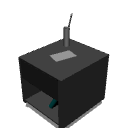


Materiales populares de Objetos 3D


Nuevos materiales





Insignias
-
 MVP ◆Estos usuarios han contribuido en gran medida a la gestión de la comunidad, al publicar multitud de útiles respuestas a las preguntas planteadas. Una vez cada tres meses, los MVP son seleccionados en base a los puntos obtenidos durante ese período y, en consecuencia, son reconocidos por su esfuerzo.
 -
 New Valuable Player (NVP) ◆Son las personas que más han contribuido a la comunidad después de los MVP. Este galardón se otorga según los puntos conseguidos a los usuarios que aún no han obtenido ningún premio MVP.
 -
 Especialista oficial ◆Elegidos de entre todos los MVP, quienes ya han demostrado ser de inestimable ayuda, esto es un testimonio de su excepcional apoyo para con la comunidad. Tras un minucioso escrutinio, son nombrados por Celsys para ocupar dicho cargo.Nota: Anteriormente denominados "evangelistas".
 -
 Moderador oficial de Celsys ◆Los moderadores son miembros del personal de Celsys que pueden comunicarse en japonés y otros idiomas. No son expertos en software o ilustración, por lo que no pueden responder directamente a las preguntas. Sin embargo, tratarán de asegurarse de que la comunicación entre usuarios de distintas lenguas sea tan fluida y comprensible como sea posible.
 -
 Cuenta oficial de CelsysCuenta oficial del administrador