


Brocha de hojas de fresa de Elearealis (Elearealis' Strawberry Leaves Brush) Elearealis' Strawberry Leaves Brush
Content ID:2271390
-
0


Una vegetación de arbustos de hojas de fresa A Strawberry Leaves Brush Vegetation
¡HOLA! Por último, una 'secuela' del cepillo de fresa que hice hace solo una semana ja
De nuevo, pido disculpas por lo confusa que es esta información, pero aguantad con esta...
Así que, para conseguir la textura adecuada de las hojas, ajusta lo siguiente:
- Tamaño del pincel - Esto ajustará lo disperso o "recto" que esté el pincel. Cuanto más aumentes el tamaño del radio del cepillo, más dispersas están y también disminuyes el tamaño de las hojas.
- Tamaño de partícula: esto ajustará el tamaño de las hojas.
- Densidad de partículas: esto ajustará el tamaño de los grupos de las hojas. Cuanto más la aumentas, más torpes se vuelven las hojas.
- Espacio - Esto ajustará la distancia de cada hoja. Cuanto más aumentas la distancia, más se alejarán las hojas unas de otras.
¡O simplemente puedes ajustarlo a tus necesidades!
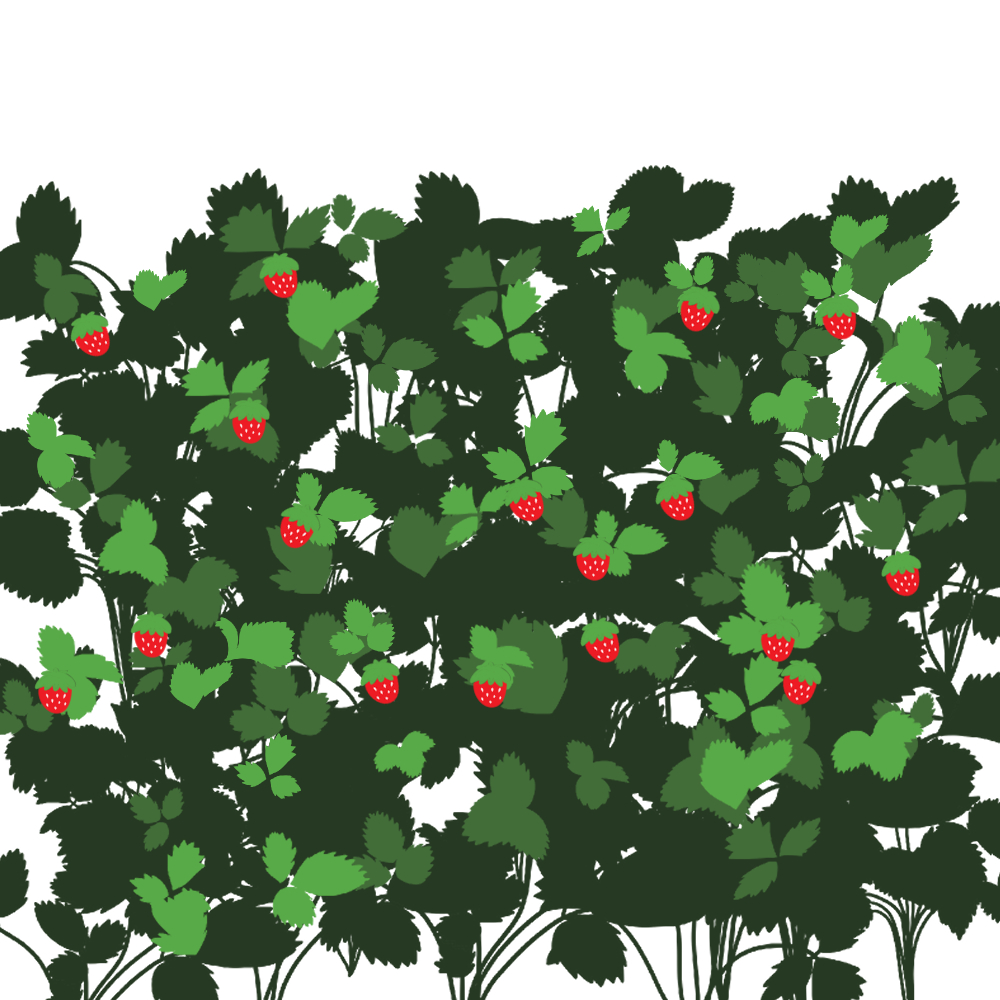
Aquí tienes mi ejemplo usando los dos cepillos de vegetación que tengo:
[Nota: Sé que la verdadera Planta de Fresa no debería ser así, pero esto es solo para ilustrar por ejemplo]
¡Gracias por usar mi recurso! Feliz dibujo <3
HI! Finally, a 'Sequel' to the Strawberry Plant Brush I made just a week ago LOL
Again, I apologize for how confusing this information but just bare with this one...
So In order for you to achieve the right amount of texture of leaves, adjust either the following:
- Brush Size - This will adjust how widely scattered or "straight" the brush is. The more you increase the size of the brush radius, the more scattered and also decrease the size of leaves.
- Particle Size - This will adjust the size of the leaves.
- Particle Density - This will adjust how clump the leaves are. The more you increase it, the more the leaves get clumpier.
- Gap - This will adjust the distance of each leaves. The more you increase the distance, the more the leaves will get farther to each other.
Or you can just adjust it to your needs!
Here's my example using the two vegetation brushes I have:
[Note: I know the real Strawberry Plant shouldn't be really like this but this is just for the sake of example illustration]
Thank you for using my asset! Happy drawing <3


Más materiales de elearealis

Materiales populares de Pinceles





Nuevos materiales




Insignias
-
 MVP ◆Estos usuarios han contribuido en gran medida a la gestión de la comunidad, al publicar multitud de útiles respuestas a las preguntas planteadas. Una vez cada tres meses, los MVP son seleccionados en base a los puntos obtenidos durante ese período y, en consecuencia, son reconocidos por su esfuerzo.
 -
 New Valuable Player (NVP) ◆Son las personas que más han contribuido a la comunidad después de los MVP. Este galardón se otorga según los puntos conseguidos a los usuarios que aún no han obtenido ningún premio MVP.
 -
 Especialista oficial ◆Elegidos de entre todos los MVP, quienes ya han demostrado ser de inestimable ayuda, esto es un testimonio de su excepcional apoyo para con la comunidad. Tras un minucioso escrutinio, son nombrados por Celsys para ocupar dicho cargo.Nota: Anteriormente denominados "evangelistas".
 -
 Moderador oficial de Celsys ◆Los moderadores son miembros del personal de Celsys que pueden comunicarse en japonés y otros idiomas. No son expertos en software o ilustración, por lo que no pueden responder directamente a las preguntas. Sin embargo, tratarán de asegurarse de que la comunicación entre usuarios de distintas lenguas sea tan fluida y comprensible como sea posible.
 -
 Cuenta oficial de CelsysCuenta oficial del administrador