



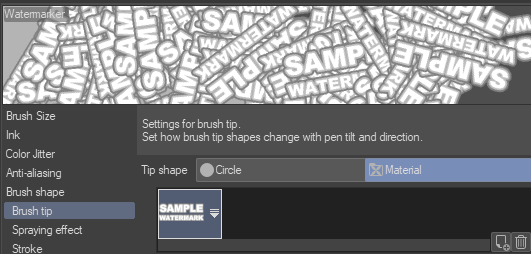
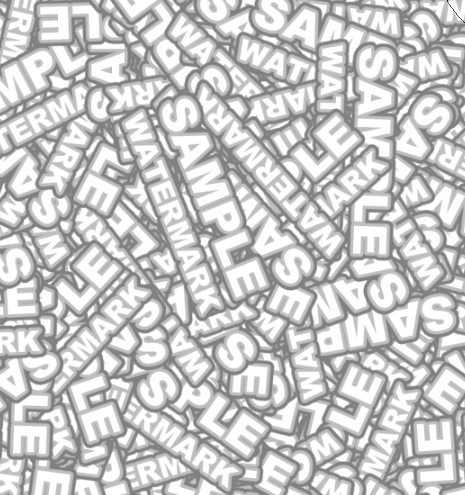
¡Un rotulador para hacer marcas de agua con el logo que elijas! Vi esto como una sugerencia para hacer ruido y desajustar a la IA, pero también funciona para enviar muestras que no quieres que te roben. A marker to make watermarks out of your logo of choice! Saw this as a suggestion to make noise to mess up AI, but also works for sending samples that you don't want stolen.
Enseñé esto en directo hace muchos años y dije que haría un tutorial.


Nunca lo hice.
¡Supongo que ahora sí!
¡Este es un rotulador que hace marcas de agua! La forma del pincel proporcionada es solo una muestra y se puede cambiar fácilmente con el logo o la forma que elijas.
Simplemente toma el logo o la forma que quieres en una capa, arrástralo hasta tus materiales y, cuando esté ahí, ponlo como forma de punta de pincel.

Entra en los ajustes del pincel y, bajo la punta del pincel, selecciona la forma del material que quieres. ¡Asegúrate de que sea un nombre fácil de encontrar si tienes muchas formas!
Después, simplemente dale un golpe a todo el lienzo con el pincel, no debería tener demasiado lag ni nada por el estilo.
Luego configúramos para superponer con el ajuste de opacidad que elijas.

¡Y listo! Ahora tienes un conjunto de imágenes con marcas de agua POR TODAS PARTES.
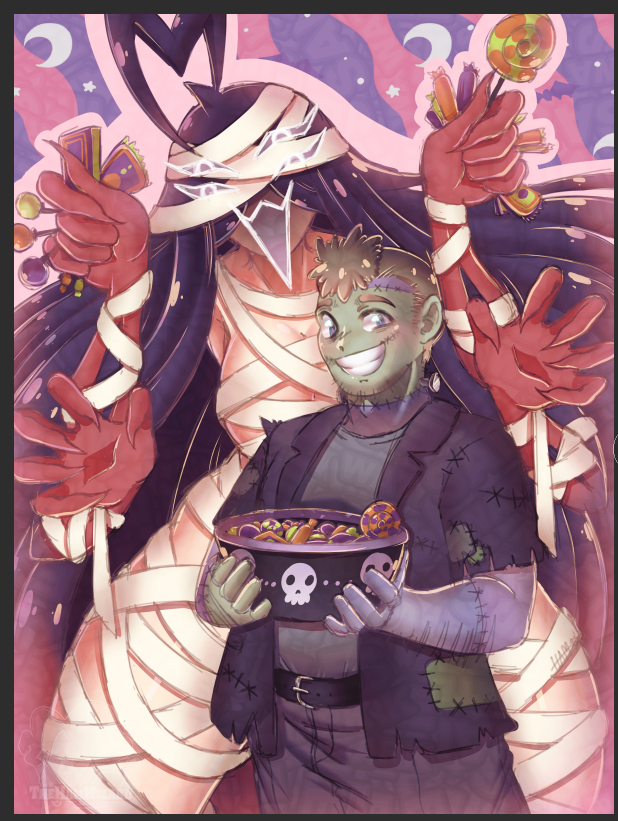
No sé si esto sigue siendo válido contra la IA, pero ahora tiene tu marca de agua por todas partes y puede crear texturas interesantes dependiendo del logo o la forma. Por si acaso, mi marca de agua está en este sitio, y yo sugeriría lo mismo.
Espero que esto ayude. ¡Que lo pases bien haciendo arte!
I showed doing this on stream many moons ago and said I would make a tutorial.
I never did.
I am now I suppose!
This is a marker that makes watermarks! The provided brush shape is just a sample and can be swapped out easily with your logo or shape of choice.
Simply take the logo or shape you want on a layer, drag it over to your materials, and when it is in there, set as use for brush tip shape.
Go into the brush settings and under brush tip, select the material shape you would like. Make sure it is an easy name to find if you have a lot of shapes!
Afterwards, simply blast the whole canvas with the brush, shouldn't lag too bad or anything.
Then set to overlay with the opacity setting of your choice.
And done! You now have an image set with watermarks EVERYWHERE.
I do not know if this still holds up against AI, but it does now have your watermark all over it, and can make interesting textures depending on the logo or shape. Just to be extra safe, my watermark is actually on this, and I would suggest the same.
Hope this helps. Have a happy time making art!


Más materiales de TheHamWarrior

Materiales populares de Pinceles


Nuevos materiales


Insignias
-
 MVP ◆Estos usuarios han contribuido en gran medida a la gestión de la comunidad, al publicar multitud de útiles respuestas a las preguntas planteadas. Una vez cada tres meses, los MVP son seleccionados en base a los puntos obtenidos durante ese período y, en consecuencia, son reconocidos por su esfuerzo.
 -
 New Valuable Player (NVP) ◆Son las personas que más han contribuido a la comunidad después de los MVP. Este galardón se otorga según los puntos conseguidos a los usuarios que aún no han obtenido ningún premio MVP.
 -
 Especialista oficial ◆Elegidos de entre todos los MVP, quienes ya han demostrado ser de inestimable ayuda, esto es un testimonio de su excepcional apoyo para con la comunidad. Tras un minucioso escrutinio, son nombrados por Celsys para ocupar dicho cargo.Nota: Anteriormente denominados "evangelistas".
 -
 Moderador oficial de Celsys ◆Los moderadores son miembros del personal de Celsys que pueden comunicarse en japonés y otros idiomas. No son expertos en software o ilustración, por lo que no pueden responder directamente a las preguntas. Sin embargo, tratarán de asegurarse de que la comunicación entre usuarios de distintas lenguas sea tan fluida y comprensible como sea posible.
 -
 Cuenta oficial de CelsysCuenta oficial del administrador