




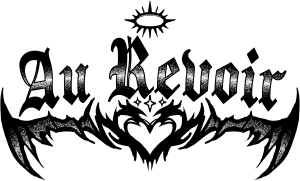
Más diseños de tatuajes atrevidos que he hecho. Estos diseños son un poco más detallados que el set anterior. More edgy tattoo designs I created. These designs are a little more detailed than the last set.
Ahora es más fácil que nunca colocar los diseños de tatuajes directamente en el modelo 3D.
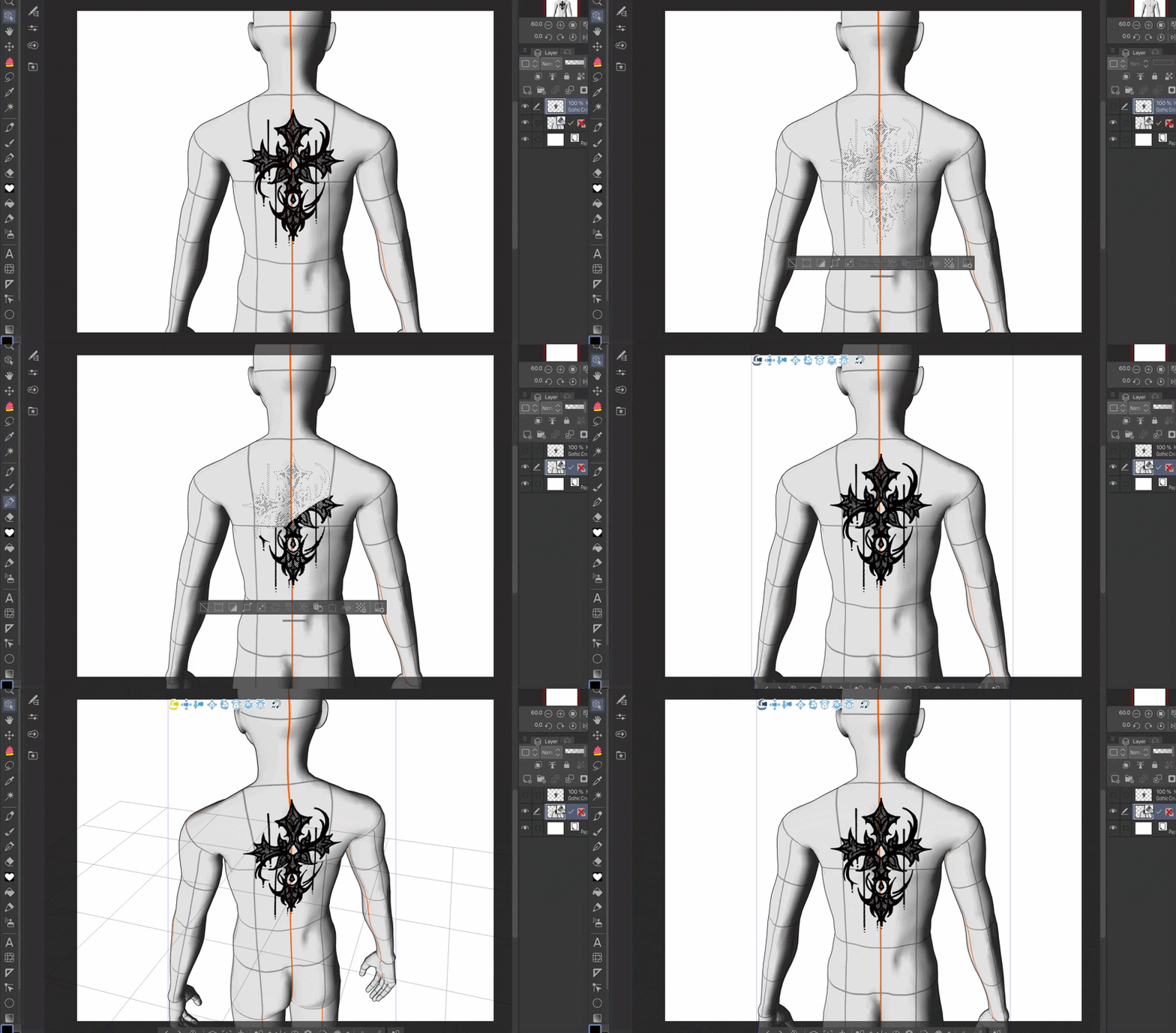

Paso 1: Coloca el diseño del tatuaje sobre una nueva capa.
Paso 2: Selecciona la capa con el diseño.
Paso 3: Vuelve al modelo 3D y rellena la selección con una herramienta de lápiz. ¡Desselecciona y estás acabado!
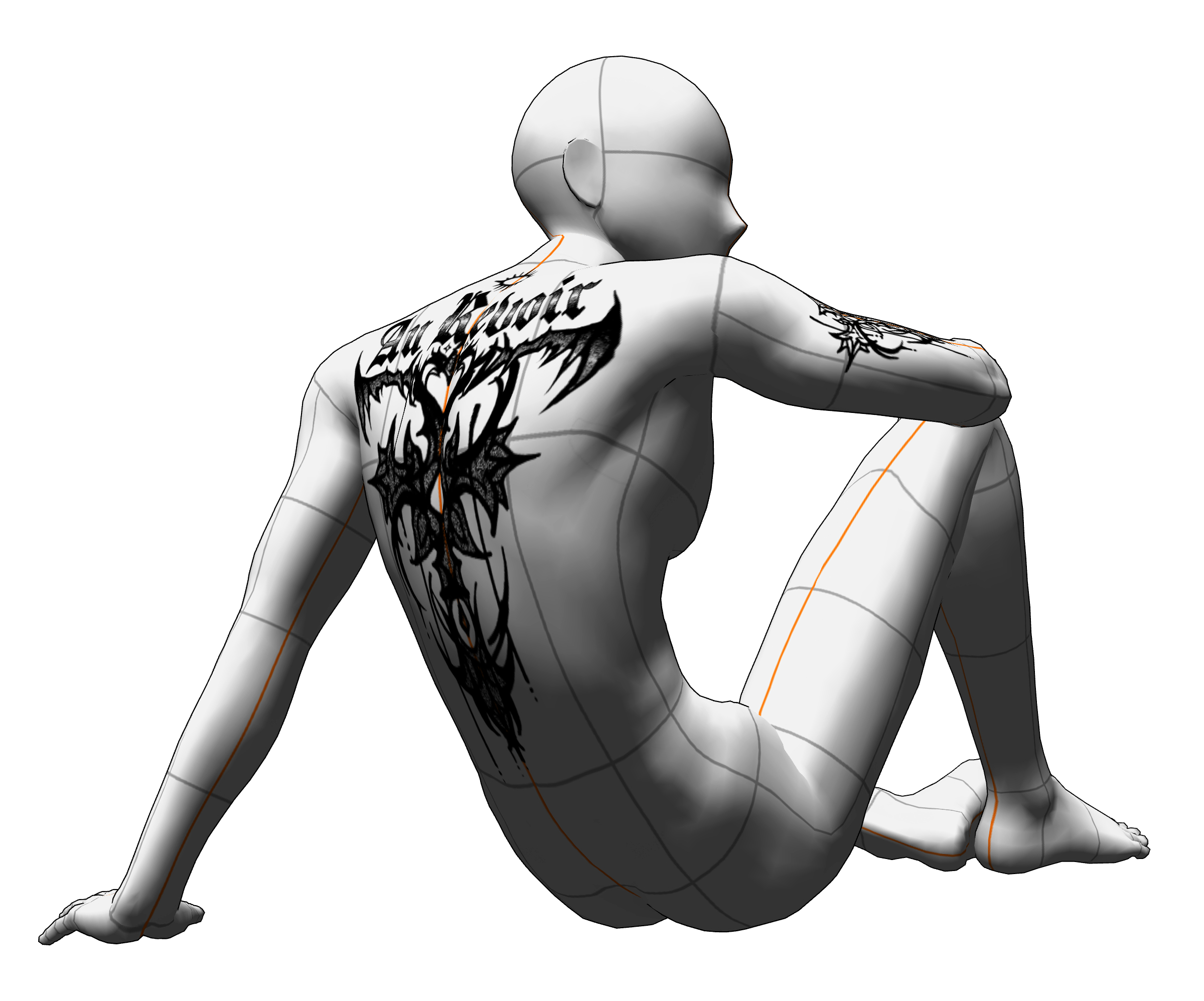
Ahora puedes ver el diseño del tatuaje desde cualquier ángulo.
Combina los diseños y crea tatuajes de monstruos a tu gusto. Puedes tener más con qué trabajar si descargas el set anterior.

Puedes poner al modelo en varias poses y los diseños se estirarán y moverán junto con la piel del modelo.
It is now easier than ever to attach the tattoo designs directly onto the 3D model.
Step 1: Set the tattoo design onto a new layer.
Step 2: Select the layer with the design.
Step 3: Go back to the 3D model and fill in the selection with a pen tool. Deselect and you’re done!
Now you can see the tattoo design at any angle.
Stack the designs together and create monster tattoos to your liking. You can have more to work with if you download the previous set.
You can put the model in various poses and the designs will stretch and move along with the model’s skin.
Categoría 1 Category 1








Más materiales de Kyappy


Materiales populares de Catálogos de materiales


Nuevos materiales




Insignias
-
 MVP ◆Estos usuarios han contribuido en gran medida a la gestión de la comunidad, al publicar multitud de útiles respuestas a las preguntas planteadas. Una vez cada tres meses, los MVP son seleccionados en base a los puntos obtenidos durante ese período y, en consecuencia, son reconocidos por su esfuerzo.
 -
 New Valuable Player (NVP) ◆Son las personas que más han contribuido a la comunidad después de los MVP. Este galardón se otorga según los puntos conseguidos a los usuarios que aún no han obtenido ningún premio MVP.
 -
 Especialista oficial ◆Elegidos de entre todos los MVP, quienes ya han demostrado ser de inestimable ayuda, esto es un testimonio de su excepcional apoyo para con la comunidad. Tras un minucioso escrutinio, son nombrados por Celsys para ocupar dicho cargo.Nota: Anteriormente denominados "evangelistas".
 -
 Moderador oficial de Celsys ◆Los moderadores son miembros del personal de Celsys que pueden comunicarse en japonés y otros idiomas. No son expertos en software o ilustración, por lo que no pueden responder directamente a las preguntas. Sin embargo, tratarán de asegurarse de que la comunicación entre usuarios de distintas lenguas sea tan fluida y comprensible como sea posible.
 -
 Cuenta oficial de CelsysCuenta oficial del administrador