



Texturas de semitonos Grunge CMY, pinceles y acciones automáticas Grunge CMY halftone textures, brushes, and auto actions

Si solo desea comenzar, ejecute la acción automática "Agregar capas CMYK" y dibuje con los pinceles proporcionados, haciendo coincidir el color correcto con la capa correcta (los pinceles C van en la capa C y así sucesivamente). El pincel 100% puede ir en cualquier capa. Debe dibujar en negro, pero cualquier color se convertirá automáticamente al color CMYK correcto.
Los materiales y pinceles proporcionados no incluyen el paso de nube moteada del tutorial original, ya que la pintura de clip studio no permite activos con materiales no originales. Si desea agregar una textura como nubes moteadas, debe hacer los pinceles usted mismo.
- Ejecute la acción automática Halftone 25.
- Agregue la textura elegida, como nubes, desde el panel de materiales.
- Ejecute la acción automática Agregar textura.
- Registre la capa como material.
Después de eso, elija o cree un pincel y agréguele la textura adecuada, siguiendo los pasos del tutorial original.
If you just want to get started, run the "Add CMYK layers" auto action and draw using the brushes provided, matching the correct color to the correct layer (C brushes go on the C layer and so on). The 100% brush can go on any layer. You should draw in black, but any color will convert to the correct CMYK color automatically.
The materials and brushes provided do not include the dappled cloud step from the original tutorial, as clip studio paint doesn't allow assets with any non-original materials. If you want to add a texture such as dappled clouds, you need to make the brushes yourself.
- Run the Halftone 25 auto action.
- Add your chosen texture such as clouds from the materials panel.
- Run the Add Texture auto action.
- Register the layer as a material.
After that, pick or create a brush and add the appropriate texture to it, following the steps from the original tutorial.
Categoría 1 Category 1













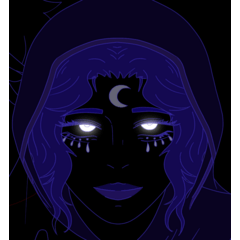


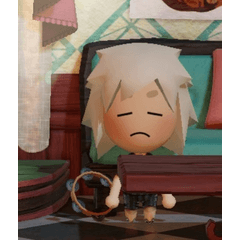



Más materiales de pieartsy


Materiales populares de Catálogos de materiales


Nuevos materiales


Insignias
-
 MVP ◆Estos usuarios han contribuido en gran medida a la gestión de la comunidad, al publicar multitud de útiles respuestas a las preguntas planteadas. Una vez cada tres meses, los MVP son seleccionados en base a los puntos obtenidos durante ese período y, en consecuencia, son reconocidos por su esfuerzo.
 -
 New Valuable Player (NVP) ◆Son las personas que más han contribuido a la comunidad después de los MVP. Este galardón se otorga según los puntos conseguidos a los usuarios que aún no han obtenido ningún premio MVP.
 -
 Especialista oficial ◆Elegidos de entre todos los MVP, quienes ya han demostrado ser de inestimable ayuda, esto es un testimonio de su excepcional apoyo para con la comunidad. Tras un minucioso escrutinio, son nombrados por Celsys para ocupar dicho cargo.Nota: Anteriormente denominados "evangelistas".
 -
 Moderador oficial de Celsys ◆Los moderadores son miembros del personal de Celsys que pueden comunicarse en japonés y otros idiomas. No son expertos en software o ilustración, por lo que no pueden responder directamente a las preguntas. Sin embargo, tratarán de asegurarse de que la comunicación entre usuarios de distintas lenguas sea tan fluida y comprensible como sea posible.
 -
 Cuenta oficial de CelsysCuenta oficial del administrador