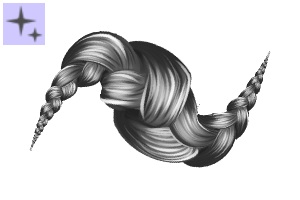
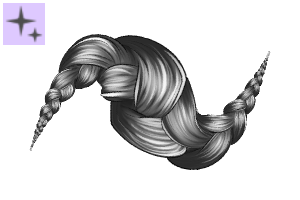
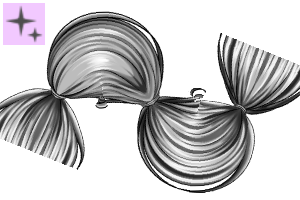
Made to make drawing black protective hairstyles easier to draw.
This material will remain free until september 19th

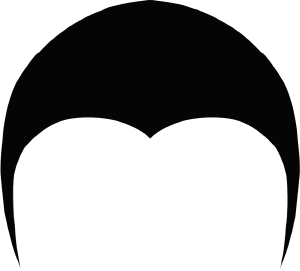
As a reference for the braiding parts, I used the soft webtoon head, pictured above. Though you can transform the parts to fit with your head
The color can be changed with the primary and sub color. The primary color controls the dark areas and lineart, the sub color controls the highlight.

In order to make the braiding parts look good, I've made a small tutorial on how I do it.

Step 1:
The layer of the braiding parts is set to grayscale, you must change it to color. Otherwise you won't be able to color the parts.
Step 2:
Using an airbrush, outline the parts. The air brush shouldn't be too soft.
Step 3:
Using a brush that blends just slightly, select no color and erase in small strokes all around the part. Make sure the strokes are all facing inwards towards the tension point, where the braid is attached.
Step 4:
Using a soft lineart brush, add some baby hairs if you'd like.
Only add them for the parts framing the face.
Only add them for the parts framing the face.

I hope this catalogue is of use to anyone besides myself :)
EDIT: I've discovered an issue unfortunately. I forgot to toggle off that the reference layer would interfere with the brush stroke. It's luckily an easy fix.
My program is in German, but the location of the settings should remain the same. I'll update the brushes as soon as I figure out how to. Sorry for the inconvenience everyone!
My program is in German, but the location of the settings should remain the same. I'll update the brushes as soon as I figure out how to. Sorry for the inconvenience everyone!
Open the brush settings, locate "no overflow" or the last option and untoggle the option shown here.

Kategorie 1





















Weitere Materialien von ShokoLate


Beliebte Materialien zu „Materialkatalog“


Neue Materialien


Abzeichen
-
 MVP ◆Dieser Nutzer hat einen großen Beitrag zur Verwaltung der Community geleistet, indem er viele großartige Antworten auf die gestellten Fragen veröffentlicht hat. Alle drei Monate werden die MVPs auf der Grundlage der in diesem Zeitraum erworbenen Punkte ermittelt und entsprechend anerkannt.
-
 New Valuable Player (NVP) ◆Die NVP-Auszeichnung geht an die Nutzer, die nach den MVP den größten Beitrag zur Community geleistet haben. Sie werden basierend auf den gesammelten Punkten unter denjenigen ausgewählt, die bisher noch nicht als MVP ausgezeichnet wurden.
-
 Offizielle Experten ◆Ausgewählt aus allen MVP-Preisträgern, die bereits ein Zeichen für Exzellenz sind, zeugt diese Auszeichnung von herausragender Korrespondenz in der Community. Nach sorgfältiger Prüfung werden sie von CELSYS ernannt und übernehmen ihre Position.* Vorherige Bezichnung: Evangelist
-
 Offizieller Moderator von CELSYS ◆Moderatoren sind offizielle CELSYS-Mitarbeiter, die fließend Japanisch und verschiedene andere Sprachen sprechen. Moderatoren sind keine Experten der Software oder Illustrationen und können daher nicht direkt auf Ihre Fragen antworten. Aber Moderatoren bieten Unterstützung in Kommunikation und Sprache, um sicherzustellen, dass alle reibungslos miteinander kommunizieren können.
-
 Offizieller Account von CELSYSDer offizielle Administrator-Account