



Ein Pinselpack, das wie ein Stempel wirkt und deinem Boden und Steinen eine realistische Gesteinstextur verleiht A brush pack that acts like a stamp to add a realistic rock texture to your ground & rocks
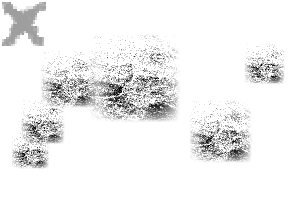
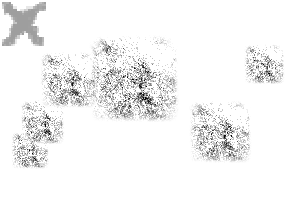
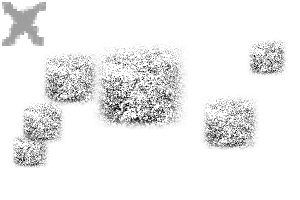
Ein Pinselpaket mit 3 strukturierten Pinseln, das als Überlagerung für deine Steine und den Boden verwendet wird, um eine realistische Textur zu erzeugen.
Mit einem Stift ist das Kippen des Stifts aktiviert, um einen zufälligeren Effekt zu erzeugen.
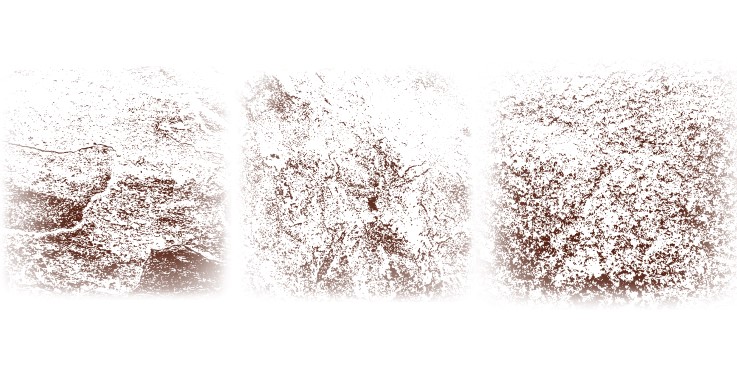
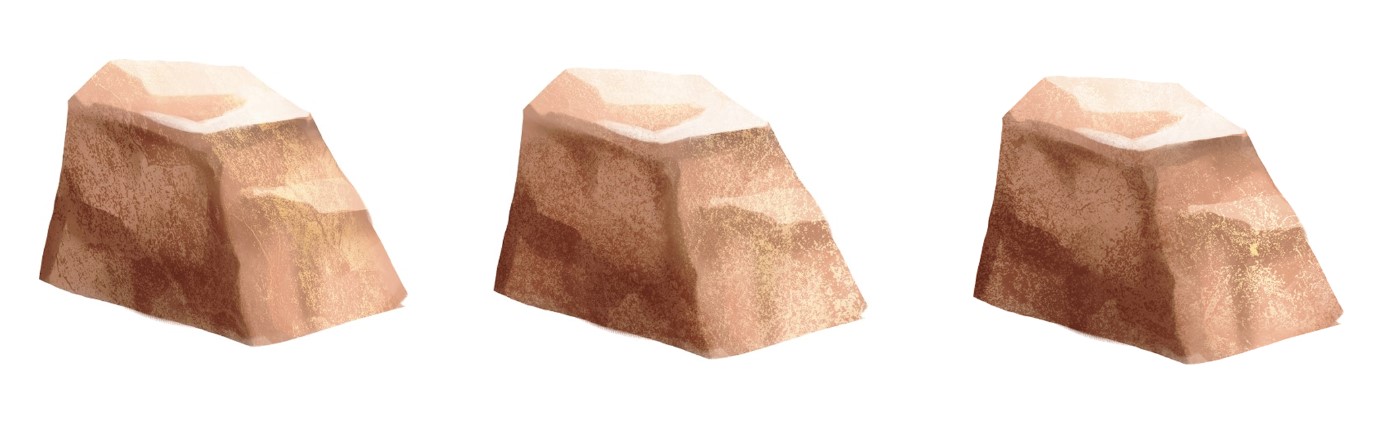
(Das sind Bilder meiner Fliesen in meinem Haus.....)
SCHRITTE:
Mit einem Stift ist das Kippen des Stifts aktiviert, um einen zufälligeren Effekt zu erzeugen.
(Das sind Bilder meiner Fliesen in meinem Haus.....)
SCHRITTE:
1- Erstelle deine Steinbasis mit deinen üblichen Methoden...
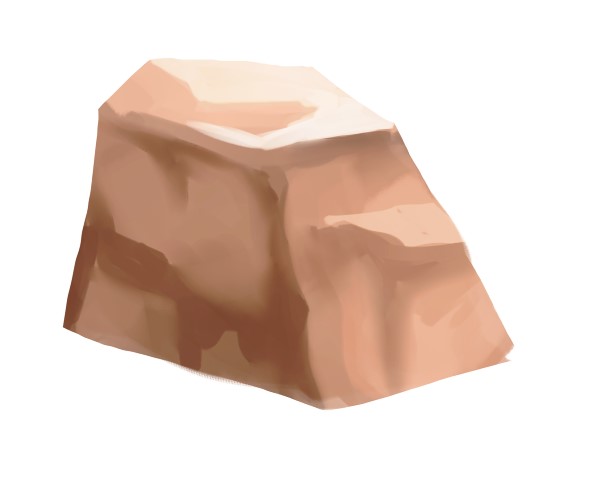
2- Auf einer Clipping-Schicht wählen Sie eine dunkle Farbe und stempeln Sie den Pinsel auf die dunkle Seite des Steins.
Du kannst diese Schicht auf Multiply legen und die Opazität senken, bis du deinen gewünschten Effekt hast.

3- Mit einer neuen Schicht stempeln Sie den Pinsel mit einer hellen Farbe auf die helle Seite des Steins.
Du kannst diese Schicht auf Multiply legen und die Opazität senken, bis du deinen gewünschten Effekt hast.

3- Mit einer neuen Schicht stempeln Sie den Pinsel mit einer hellen Farbe auf die helle Seite des Steins.
Du kannst diese Ebene auf dem Bildschirm als Overlay anbringen und die Opazität anpassen, bis du den gewünschten Effekt erreichst.

Es gibt mehrere verschiedene Texturen im Pack, und man kann auch mischen und kombinieren!
Danke! Viel Spaß!!

Es gibt mehrere verschiedene Texturen im Pack, und man kann auch mischen und kombinieren!
Danke! Viel Spaß!!
A brush pack with 3 textured brushes to be used as an overlay for your rocks and ground to make a realistic texture.
When used with a stylus, pen tilt is enabled to create a more randomised yet effect.
(these are pictures of my tiles in my house.....)
STEPS:
When used with a stylus, pen tilt is enabled to create a more randomised yet effect.
(these are pictures of my tiles in my house.....)
STEPS:
1- Create your rocks base using your usual methods...
2- On a clipping layer, pick a dark colour and stamp the brush onto the dark side of the rock.
You can put this layer on multiply and lower the opacity until you reach your desired effect.
3- With a new layer, stamp the brush on the light side of the rock using a light colour.
You can put this layer on multiply and lower the opacity until you reach your desired effect.
3- With a new layer, stamp the brush on the light side of the rock using a light colour.
You can put this layer on screen on overlay and adjust the opacity until you reach your desired effect.
There are multiple different textures in the pack and you can mix and match as well!
Thank you! Enjoy!!!
There are multiple different textures in the pack and you can mix and match as well!
Thank you! Enjoy!!!
Gesteinstexturbürsten Rock Texture Brushes











Weitere Materialien von soxxyhorror

Beliebte Materialien zu „Materialkatalog“


Neue Materialien


Abzeichen
-
 MVP ◆Dieser Nutzer hat einen großen Beitrag zur Verwaltung der Community geleistet, indem er viele großartige Antworten auf die gestellten Fragen veröffentlicht hat. Alle drei Monate werden die MVPs auf der Grundlage der in diesem Zeitraum erworbenen Punkte ermittelt und entsprechend anerkannt.
 -
 New Valuable Player (NVP) ◆Die NVP-Auszeichnung geht an die Nutzer, die nach den MVP den größten Beitrag zur Community geleistet haben. Sie werden basierend auf den gesammelten Punkten unter denjenigen ausgewählt, die bisher noch nicht als MVP ausgezeichnet wurden.
 -
 Offizielle Experten ◆Ausgewählt aus allen MVP-Preisträgern, die bereits ein Zeichen für Exzellenz sind, zeugt diese Auszeichnung von herausragender Korrespondenz in der Community. Nach sorgfältiger Prüfung werden sie von CELSYS ernannt und übernehmen ihre Position.* Vorherige Bezichnung: Evangelist
 -
 Offizieller Moderator von CELSYS ◆Moderatoren sind offizielle CELSYS-Mitarbeiter, die fließend Japanisch und verschiedene andere Sprachen sprechen. Moderatoren sind keine Experten der Software oder Illustrationen und können daher nicht direkt auf Ihre Fragen antworten. Aber Moderatoren bieten Unterstützung in Kommunikation und Sprache, um sicherzustellen, dass alle reibungslos miteinander kommunizieren können.
 -
 Offizieller Account von CELSYSDer offizielle Administrator-Account