


Elearealis' Erdbeerblätterbürste (Elearealis' Strawberry Leaves Brush) Elearealis' Strawberry Leaves Brush
Content ID:2271390
-
0


Eine Erdbeerblätter berühren Vegetation A Strawberry Leaves Brush Vegetation
HALLO! Zum Schluss eine 'Fortsetzung' zum Erdbeerpflanzenbürsten, den ich vor einer Woche gemacht habe, LOL
Nochmals entschuldige ich mich, wie verwirrend diese Informationen sind, aber hab einfach Geduld mit dieser Sache...
Um also die richtige Menge an Textur der Blätter zu erreichen, passen Sie Folgendes an:
- Pinselgröße – Dadurch wird angepasst, wie weit gestreut oder "gerade" der Pinsel ist. Je größer man den Buschradius vergrößert, desto mehr verstreut und auch die Größe der Blätter verringern.
- Partikelgröße – Dies passt die Größe der Blätter an.
- Partikeldichte – Dadurch wird die Klumpung der Blätter angepasst. Je mehr du es vergrößerst, desto klumpiger werden die Blätter.
- Spalt – Dadurch wird der Abstand zwischen den Blättern angepasst. Je mehr du den Abstand vergrößerst, desto weiter werden die Blätter zueinander liegen.
Oder du kannst es einfach nach deinen Bedürfnissen anpassen!
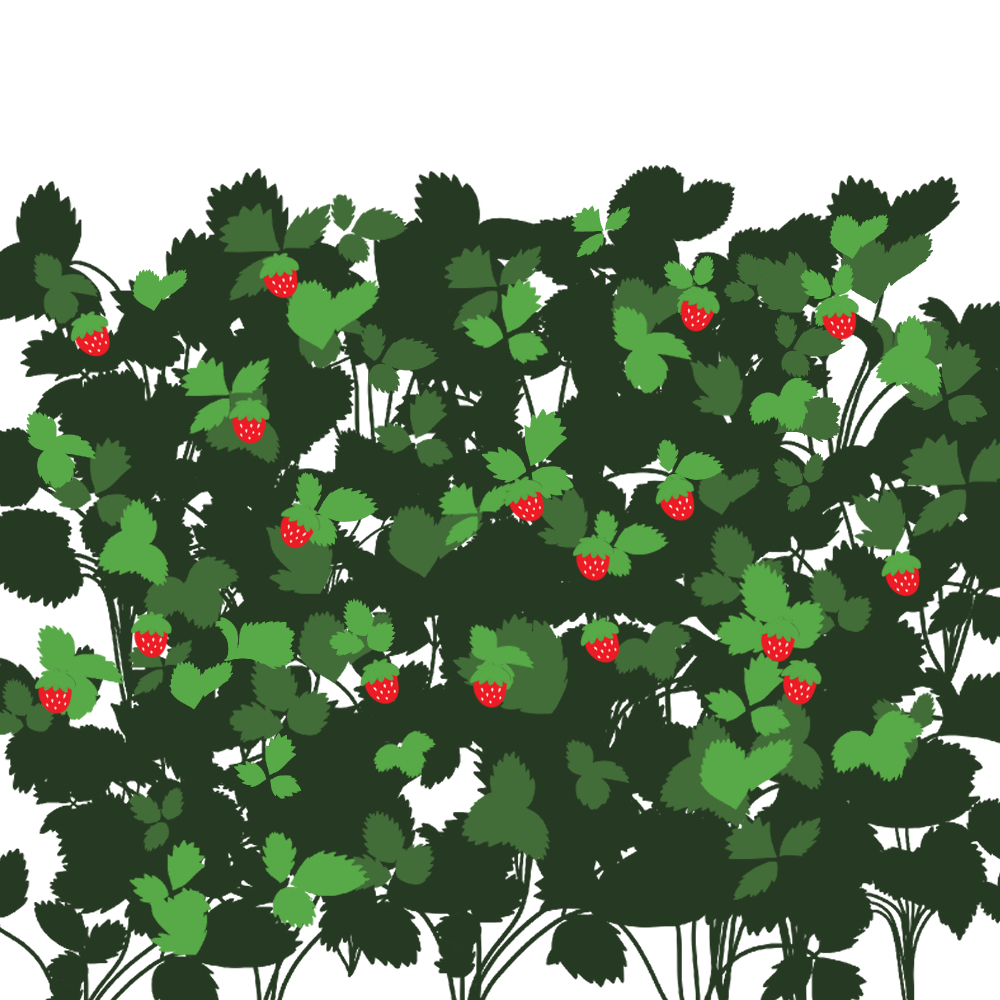
Hier ist mein Beispiel mit den beiden Vegetationsbrushes, die ich habe:
[Anmerkung: Ich weiß, die echte Erdbeerpflanze sollte eigentlich nicht so sein, aber das dient nur als Beispielveranschaulichung]
Danke, dass du mein Asset genutzt hast! Viel Spaß beim Zeichnen <3
HI! Finally, a 'Sequel' to the Strawberry Plant Brush I made just a week ago LOL
Again, I apologize for how confusing this information but just bare with this one...
So In order for you to achieve the right amount of texture of leaves, adjust either the following:
- Brush Size - This will adjust how widely scattered or "straight" the brush is. The more you increase the size of the brush radius, the more scattered and also decrease the size of leaves.
- Particle Size - This will adjust the size of the leaves.
- Particle Density - This will adjust how clump the leaves are. The more you increase it, the more the leaves get clumpier.
- Gap - This will adjust the distance of each leaves. The more you increase the distance, the more the leaves will get farther to each other.
Or you can just adjust it to your needs!
Here's my example using the two vegetation brushes I have:
[Note: I know the real Strawberry Plant shouldn't be really like this but this is just for the sake of example illustration]
Thank you for using my asset! Happy drawing <3


Weitere Materialien von elearealis

Beliebte Materialien zu „Pinsel“


Neue Materialien


Abzeichen
-
 MVP ◆Dieser Nutzer hat einen großen Beitrag zur Verwaltung der Community geleistet, indem er viele großartige Antworten auf die gestellten Fragen veröffentlicht hat. Alle drei Monate werden die MVPs auf der Grundlage der in diesem Zeitraum erworbenen Punkte ermittelt und entsprechend anerkannt.
 -
 New Valuable Player (NVP) ◆Die NVP-Auszeichnung geht an die Nutzer, die nach den MVP den größten Beitrag zur Community geleistet haben. Sie werden basierend auf den gesammelten Punkten unter denjenigen ausgewählt, die bisher noch nicht als MVP ausgezeichnet wurden.
 -
 Offizielle Experten ◆Ausgewählt aus allen MVP-Preisträgern, die bereits ein Zeichen für Exzellenz sind, zeugt diese Auszeichnung von herausragender Korrespondenz in der Community. Nach sorgfältiger Prüfung werden sie von CELSYS ernannt und übernehmen ihre Position.* Vorherige Bezichnung: Evangelist
 -
 Offizieller Moderator von CELSYS ◆Moderatoren sind offizielle CELSYS-Mitarbeiter, die fließend Japanisch und verschiedene andere Sprachen sprechen. Moderatoren sind keine Experten der Software oder Illustrationen und können daher nicht direkt auf Ihre Fragen antworten. Aber Moderatoren bieten Unterstützung in Kommunikation und Sprache, um sicherzustellen, dass alle reibungslos miteinander kommunizieren können.
 -
 Offizieller Account von CELSYSDer offizielle Administrator-Account