


Pandas ANIMATION Auto-Action PACK (Panda's ANIMATION Auto-Action PACK) Panda's ANIMATION Auto-Action PACK
Content ID:2237670
-
262


DER FLIEGENDE PANDA HIER
(Kurzfassung: am Ende)
Pands Ordnerformular
In Rough
- Ich nutze diese automatische Aktion, indem ich sie auf eine Tastenkombination setze und F5 mache. Ich benutze eher "F5 ALL LAYER" als Single Layer, aber das liegt bei dir.
- Es heißt einfach "Frame einfügen", aber ohne all die heiklen Details. Drück einfach einen Knopf.
*Warum Ordner?
Danke, dass du dieses Paket benutzt hast:D
Ich habe diese automatischen Aktionen für mich selbst gemacht, und nach einer Weile wurde mir klar... Warum gibst du sie dir nicht, da sie mir so sehr geholfen haben!
Ich habe diese automatischen Aktionen für mich selbst gemacht, und nach einer Weile wurde mir klar... Warum gibst du sie dir nicht, da sie mir so sehr geholfen haben!
Hier ist eine Übersicht darüber, was diese tun:
PANDA-LEINWAND
PANDA-LEINWAND
- Am Anfang einer Animation benutze ich das, um meine Leinwand einzurichten.
(Ich benutze das nicht wirklich oft, es ist nur zum Spaß da.)
Pands Ordnerformular
- Mein tägliches Brot.
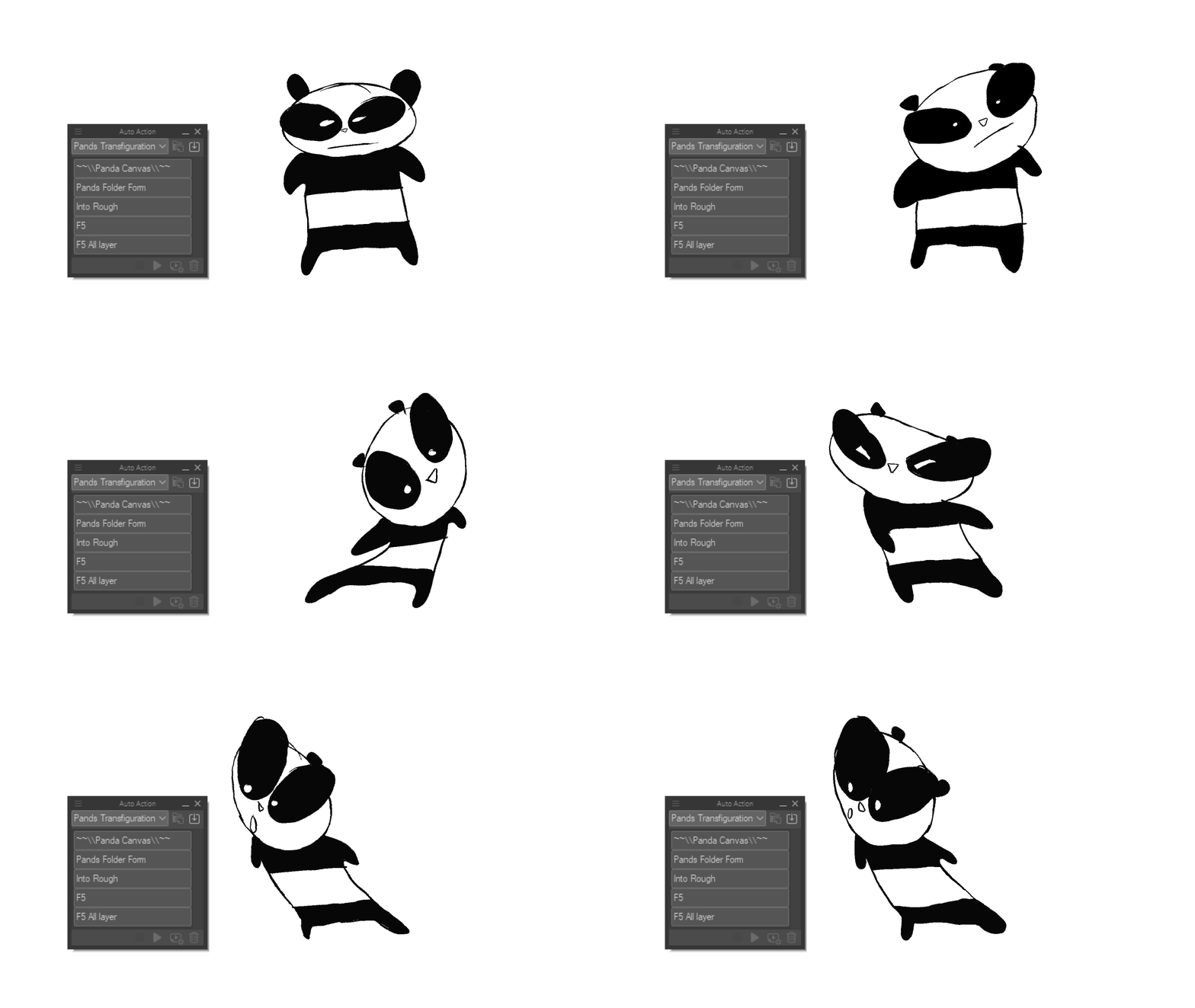
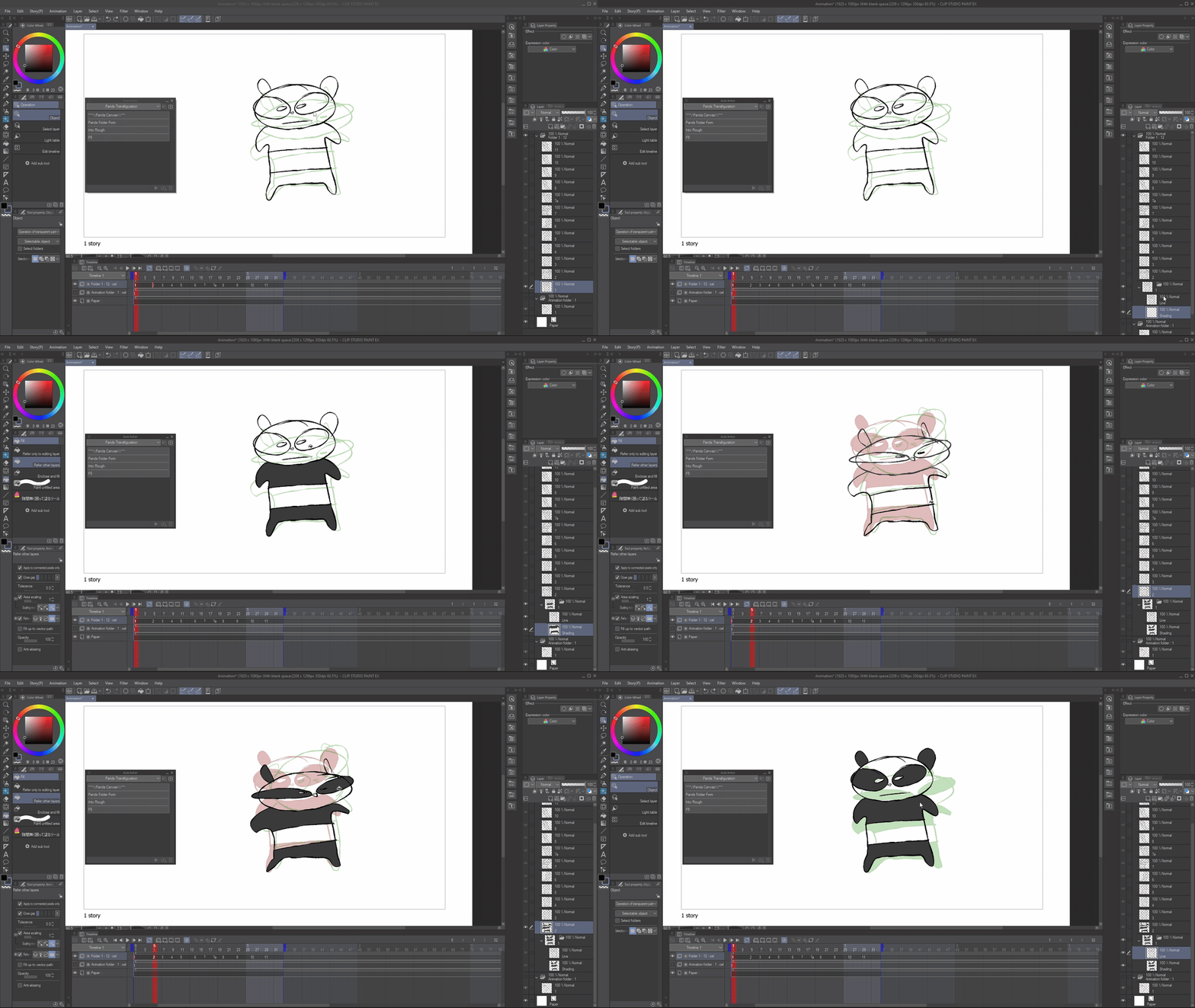
- Manchmal animiere ich einfach geradeaus Roughs auf einer Schicht. "Pands Folder Form", und es macht den Einzelrahmen sofort zu einem Ordner* mit den Namen: 'Linie' und 'Shading'.
- SUPER für schnelle Anims, Roughs und Animatics. Wenn ich vergesse, Ordner einzurichten, nutze ich diese automatische Aktion.
(Ich benutze das sehr gerne mit dem Ice Cream Fill Tool (Content ID:1759448))
In Rough
- Ordnerform, aber statt Strich wird es zu einem groben Feld, falls du es ausrichten möchtest. Ich benutze das eigentlich nicht, es ist nur ein Experiment.
F5 + F5 Alle Schichten
- F5 ist eine gängige Adobe Animate-Tastenkürzel zur Erhöhung der Bildausschnitte.
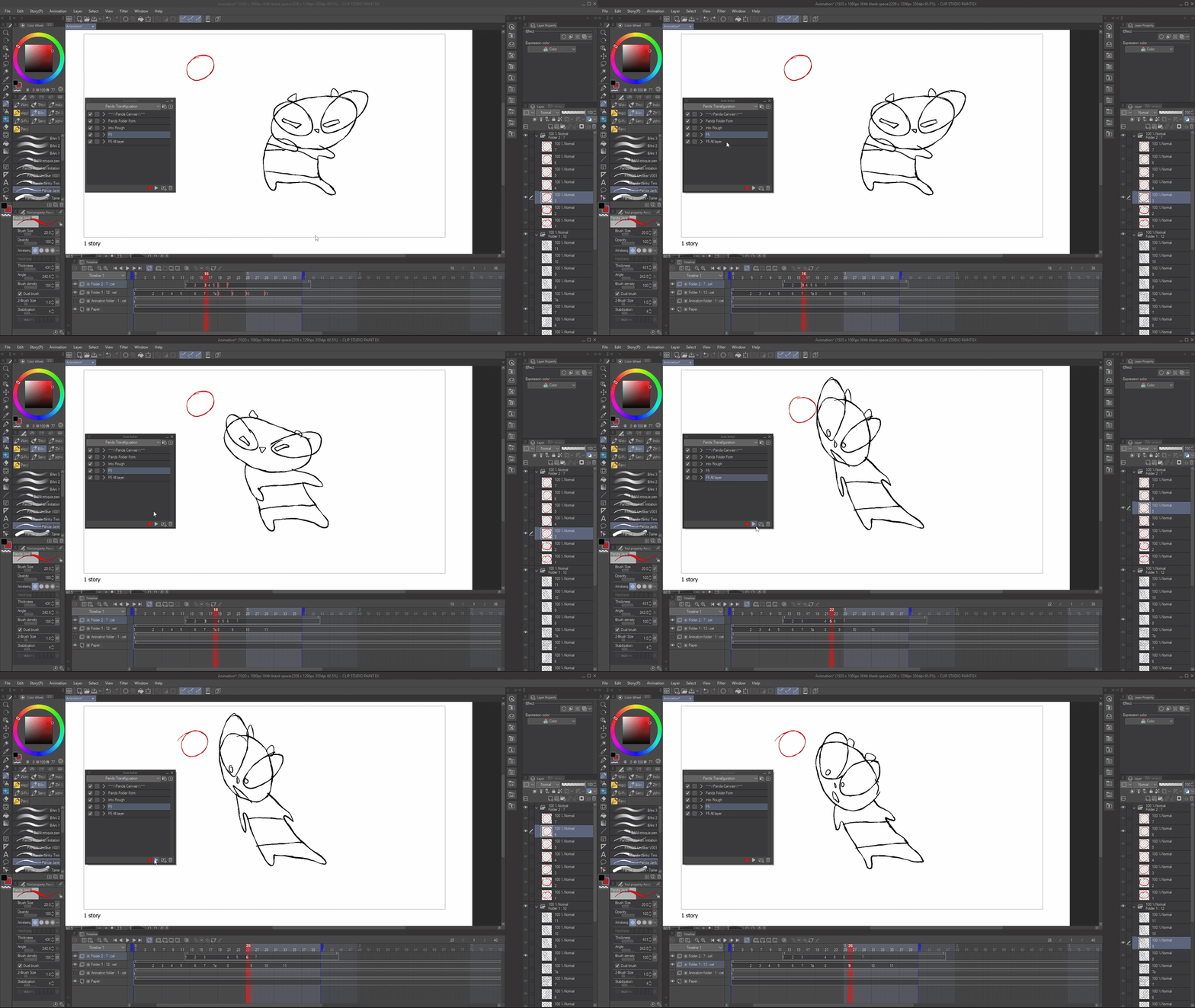
- Ich nutze diese automatische Aktion, indem ich sie auf eine Tastenkombination setze und F5 mache. Ich benutze eher "F5 ALL LAYER" als Single Layer, aber das liegt bei dir.
- Es heißt einfach "Frame einfügen", aber ohne all die heiklen Details. Drück einfach einen Knopf.
*Warum Ordner?
Anime verwendet oft Ordner und es ist gut, sich daran zu gewöhnen, Ordner zu verwenden.
Kurzfassung:
Am meisten benutze ich 'Pands Folder Form' und 'F5 All Layers'.
Am meisten benutze ich 'Pands Folder Form' und 'F5 All Layers'.
Die anderen sind nur zum Spaß.
Ich hoffe, das hat dich dazu inspiriert, eigene Auto-Aktionen zu erstellen und Spaß mit Animationen zu haben:D
THEFLYINGPANDA HERE
(tldr: at the end)
Pands Folder Form
Into Rough
- I use this auto action by setting it to a keyboard shortcut, and making it F5. I tend to use "F5 ALL LAYER" more than single layer but, it's up to you.
- It is simply "Insert Frame" but without all the finicky stuff. Just press a button.
*Why folders?
Thanks for using this pack :D
I made these auto actions for myself, and after a while I realised... why not give them out to you guys since they've helped me so much!
I made these auto actions for myself, and after a while I realised... why not give them out to you guys since they've helped me so much!
Here's a run down of what these do:
PANDA CANVAS
PANDA CANVAS
- At the beginning of an animation, I use this just to set up my canvas.
(I don't really use this much, it's just here for fun.)
Pands Folder Form
- My Bread and Butter.
- I sometimes just animate straight ahead roughs on 1 layer. "Pands Folder Form", and it instantly makes the Single Frame into a Folder* named: 'Line' and 'Shading'.
- GREAT for quick anims, roughs and animatics. If I forget to set up folders, I use this auto action.
(I really like to use this with the Ice Cream Fill Tool (Content ID:1759448))
Into Rough
- Folder Form but instead of line, it turns it into a rough, incase you wanted to line it. I don't really use this, it's just an experiment.
F5 + F5 All Layer
- F5 is a common Adobe Animate keyboard shortcut to increase frames.
- I use this auto action by setting it to a keyboard shortcut, and making it F5. I tend to use "F5 ALL LAYER" more than single layer but, it's up to you.
- It is simply "Insert Frame" but without all the finicky stuff. Just press a button.
*Why folders?
Anime often uses Folders and it's good to get into the habit of using folders.
TLDR:
I use 'Pands Folder Form' and 'F5 All Layers' the most.
I use 'Pands Folder Form' and 'F5 All Layers' the most.
The others are just for fun.
I hope this inspired you to try making your own auto actions and having fun with animation :D







Weitere Materialien von TheFlyingPanda

Beliebte Materialien zu „Auto-Action“


Neue Materialien







Abzeichen
-
 MVP ◆Dieser Nutzer hat einen großen Beitrag zur Verwaltung der Community geleistet, indem er viele großartige Antworten auf die gestellten Fragen veröffentlicht hat. Alle drei Monate werden die MVPs auf der Grundlage der in diesem Zeitraum erworbenen Punkte ermittelt und entsprechend anerkannt.
 -
 New Valuable Player (NVP) ◆Die NVP-Auszeichnung geht an die Nutzer, die nach den MVP den größten Beitrag zur Community geleistet haben. Sie werden basierend auf den gesammelten Punkten unter denjenigen ausgewählt, die bisher noch nicht als MVP ausgezeichnet wurden.
 -
 Offizielle Experten ◆Ausgewählt aus allen MVP-Preisträgern, die bereits ein Zeichen für Exzellenz sind, zeugt diese Auszeichnung von herausragender Korrespondenz in der Community. Nach sorgfältiger Prüfung werden sie von CELSYS ernannt und übernehmen ihre Position.* Vorherige Bezichnung: Evangelist
 -
 Offizieller Moderator von CELSYS ◆Moderatoren sind offizielle CELSYS-Mitarbeiter, die fließend Japanisch und verschiedene andere Sprachen sprechen. Moderatoren sind keine Experten der Software oder Illustrationen und können daher nicht direkt auf Ihre Fragen antworten. Aber Moderatoren bieten Unterstützung in Kommunikation und Sprache, um sicherzustellen, dass alle reibungslos miteinander kommunizieren können.
 -
 Offizieller Account von CELSYSDer offizielle Administrator-Account