


3D-texturierte Bohrmaschine (3D Textured drill machine) 3D Textured drill machine
Content ID:2059909
-
162


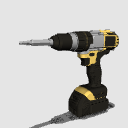
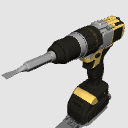
3D-Bohrmaschine (Bohrmaschine), texturiert in zwei Farben: gelb und rot. Außerdem haben sie drei Köpfe: Bohrer, Kreuzschlitzschraubenantrieb und Schlitzschraubenantrieb.
Hier eine kurze Erklärung:
3D drill machine (drill), textured in two colors: yellow and red. Also have three heads: Drill bit, Cross-head screwdrive and Flat-head screwdrive.
Here is a brief explanation:


Wählen Sie das Objekt "3D-texturierte Bohrmaschine" aus Ihrer Objektliste aus, erweitern Sie seine Elemente und blenden Sie das Bohrer-Unterelement "Bohrer" aus.

Sie können es auch in Kombination mit meinem anderen kostenlosen 3D-Bohrer-Asset verwenden, das kürzlich veröffentlicht wurde.


2.) Extrahieren von Texturlinien und schwarzer Füllung:.


Zum Schluss noch ein Beispiel für die Verwendung der Bohrmaschine durch einen Heimwerker / eine Heimwerkerin:.

Ich hoffe, es gefällt euch und ihr könnt es in euren Kreationen, als Referenz oder als strukturiertes Bild verwenden.
Grüße!!!!
Select the object "3D Textured drill machine" from your object list, expand its elements, and hide the drill bit sub-element "Drill-bit".
You can also use it in combination with my other free 3D drill bit asset, published recently.
2.) Extracting texture lines and black fill:.
Finally, an example of the use of the drill by a handyman / handywoman:.
I hope you like it and you can use it in your creations, as a reference or as a textured image.
Greetings!!!!
Material Material
-
Gelb Yellow
-
Rot Red

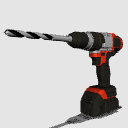
Zuteilen Allocate
-
Bohrer Drill bit
-
Kreuzschlitz-SchraubeDriv Cross-head screwdriv
-
Schlitz-Gewindetrieb Flat-head screwdrive



Weitere Materialien von ToniBaezaRiera


Beliebte Materialien zu „3D-Objekt“


Neue Materialien


-
 MVP ◆Dieser Nutzer hat einen großen Beitrag zur Verwaltung der Community geleistet, indem er viele großartige Antworten auf die gestellten Fragen veröffentlicht hat. Alle drei Monate werden die MVPs auf der Grundlage der in diesem Zeitraum erworbenen Punkte ermittelt und entsprechend anerkannt.
 -
 New Valuable Player (NVP) ◆Die NVP-Auszeichnung geht an die Nutzer, die nach den MVP den größten Beitrag zur Community geleistet haben. Sie werden basierend auf den gesammelten Punkten unter denjenigen ausgewählt, die bisher noch nicht als MVP ausgezeichnet wurden.
 -
 Offizielle Experten ◆Ausgewählt aus allen MVP-Preisträgern, die bereits ein Zeichen für Exzellenz sind, zeugt diese Auszeichnung von herausragender Korrespondenz in der Community. Nach sorgfältiger Prüfung werden sie von CELSYS ernannt und übernehmen ihre Position.* Vorherige Bezichnung: Evangelist
 -
 Offizieller Moderator von CELSYS ◆Moderatoren sind offizielle CELSYS-Mitarbeiter, die fließend Japanisch und verschiedene andere Sprachen sprechen. Moderatoren sind keine Experten der Software oder Illustrationen und können daher nicht direkt auf Ihre Fragen antworten. Aber Moderatoren bieten Unterstützung in Kommunikation und Sprache, um sicherzustellen, dass alle reibungslos miteinander kommunizieren können.
 -
 Offizieller Account von CELSYSDer offizielle Administrator-Account